How to Secure Your BTC After Withdrawing from Cloud Mining
The post-withdrawal security playbook — confirmation checks, wallet hygiene, seed backup, and the 5 habits that separate safe custody from disaster.

The moment your BTC lands in your own wallet, the security model flips. Until the transaction confirmed, operator controls — 2FA, admin review, support channels — protected you. After it confirmed, you are the only line of defense. This playbook walks the first 24 hours, first week, and first month of self-custody, plus the five habits that separate quiet, boring safety from the kind of mistake you only make once.
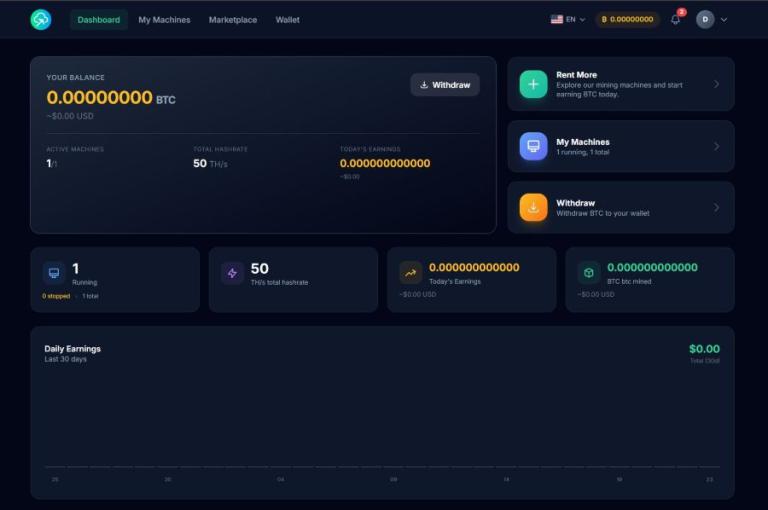
The moment of transfer — you just became your own bank
When you hit "withdraw" on a cloud mining dashboard, a chain of operator-side protections carries the BTC for you. On NoxHash that chain looks roughly like this: your request goes to an admin review queue, a human signs off, a 1.5% network fee is subtracted, and the payout is broadcast to your Bitcoin Segwit, P2PKH, or P2SH address. If something looked wrong at any step — an address pasted badly, a 2FA code failing, a suspicious login — operator tooling could have paused it. All of that ends the instant the transaction confirms on-chain.
From that moment, no one can freeze a hostile spend, no one can reverse a paste-error, no one can call "support" on your behalf. Self-custody is a one-way door. The good news is that most post-withdrawal disasters are boring, predictable, and prevented by a few habits you practice in the first month — after which the same habits run on autopilot for years. This article is the playbook: 24 hours, one week, one month, then five habits for the years after.
The first 24 hours — confirm, reconcile, log
The first day is about verifying that what you expected actually happened on-chain. Do not skip any of the three checks below, even if the wallet app already shows a number you like. Wallet balances can be cached, displayed optimistically, or — in rare address-poisoning cases — spoofed by the UI of a look-alike app.
| Check | What you are confirming | Where to do it |
|---|---|---|
| Address match | The receiving address on the explorer is the same string your wallet generated | mempool.space or a second independent explorer |
| Amount reconciliation | Received = requested minus the 1.5% NoxHash withdrawal fee (and minus any network fee if applicable) | Dashboard tx record vs explorer output |
| Finality | At least 3 confirmations before treating funds as "final"; 6 for larger amounts | Confirmation counter on the explorer |
| Tx hash log | Full 64-character txid saved with date, amount, USD value at time of receipt | Encrypted notes app or a dedicated tax spreadsheet |
Logging the tx hash plus USD value at receipt is not optional. In most jurisdictions, each mining payout is a taxable event valued at fair-market-price on the day it arrived — and tax software can reconstruct almost everything from a txid plus a date. Spending thirty seconds now saves hours next April.
The post-withdrawal timeline at a glance
First 24 hours — verification
Confirm address match on an independent explorer. Reconcile the received amount against requested minus the 1.5% fee. Wait for 3+ confirmations before treating funds as settled. Save the tx hash, date, and USD value for tax records. Do not move funds yet — let them settle first.
First week — hygiene and separation
If the amount is meaningful, move it off the receiving (hot) wallet into cold storage. Resist the urge to post a screenshot or tweet the win. Confirm your seed-phrase backup survived the week physically intact (no water damage, no fade on thermal paper). Set up a recurring schedule to withdraw smaller amounts going forward rather than one large payout later.
First month — recovery dry-run
Do a full seed-phrase restore on a second hardware device. Confirm it reconstructs the exact same receive addresses you already saw. Wipe the second device. Optionally split your seed backup across two geographically separated locations. Review the month: any phishing attempts, unexpected logins, or wallet balance oddities go on a watchlist.
The first week — hygiene, separation, quiet
By day seven, the transaction is irreversibly confirmed and the adrenaline has faded. This is when bad habits quietly bake in — or don't. Three things matter in week one.
Separate hot and cold. The wallet that received the withdrawal is, by definition, a wallet whose address was just pasted into an online dashboard. That does not make it unsafe, but it does make it the wallet most exposed to future interactions (other withdrawals, exchange deposits, services). If the amount is more than a week or two of your typical spending, move the excess to a cold wallet the same week. The split between hot-for-flow and cold-for-stack is covered in depth in the hot-vs-cold article; the takeaway here is: don't let "I'll move it later" become six months of savings sitting on a phone.
OPSEC silence. Do not post screenshots of your wallet balance, your cloud mining dashboard, or the transaction on any social network — including private Discord servers, Telegram groups, and closed subreddits. Targeted attacks (SIM-swap, phishing, physical threats in extreme cases) follow visible on-chain wealth far more than random chance. Publicly announcing "just withdrew 0.25 BTC from NoxHash" is an invitation. Keep wins private.
Schedule, don't stockpile. A single large withdrawal every six months concentrates risk: one address, one date, one amount an attacker can target. Set a recurring monthly or bi-monthly reminder to withdraw smaller amounts — it smooths BTC-price timing, avoids one visible transaction, and keeps your custody muscles in practice. While you're there, physically inspect the seed-phrase backup you made at setup: paper fades, thermal prints go blank, and a metal plate that fell behind a bookshelf can gather enough dust to hide letters. Catch these now, not under pressure.
Turn one big withdrawal into a boring monthly habit
The playbook above works best when you practice it on real payouts. Start mining with the free 2-day Basic Miner trial, then switch to monthly withdrawals so each handoff is small, routine, and easy to secure.
The first month — the recovery dry-run that catches everything
Most self-custody failures are not dramatic. They are quiet: a seed phrase written with a zero that looks like an "O", a word from the wrong BIP-39 wordlist, a 24th word forgotten, a passphrase ("25th word") the owner was sure they'd remember. The owner discovers the mistake years later when they try to restore — and by then, the hardware wallet has been wiped or lost, and the seed is the only copy.
The fix is a one-time dry-run. Within the first month of taking real custody, do the following:
- Buy a second hardware wallet (same brand, or different — it doesn't matter, as long as it implements BIP-39).
- Initialize the second device and, instead of generating a new seed, choose "Restore from seed" and type in the 12 or 24 words from your backup.
- Open the companion app connected to the second device and verify that the first receive address matches the one you have already seen on your primary device.
- If they match, your backup is proven to work. Wipe the second device (factory reset) and store it as a dedicated "spare" with no seed on it.
- If they don't match, you just caught a backup error while it was still fixable. Regenerate the backup carefully, repeat the test, and destroy the faulty copy.
The dry-run costs a few hours and one extra hardware wallet — and almost no one does it until after their first scare. Once it's done, consider splitting the verified backup across two geographically separated locations (home safe + bank deposit box, or trusted family in another city) so one fire, flood, or burglary can't destroy it.
Five habits that separate safe custody from disaster
The first month builds the foundation. These five habits are what you repeat for years afterwards — skipping any one is a common path to a story that begins "I used to have BTC."
1. Never write or store the seed near a lens or radio
No photos, no cloud notes, no typing into a password manager on a phone with a camera and cellular chip. The attack surface of a seed phrase is "anything that can see, transmit, or index it." Paper in a drawer beats cloud storage every time.
2. Treat every crypto-related message as phishing until proven otherwise
Emails, DMs, "support" calls, even SMS about wallet firmware or suspicious logins — assume hostile. Verify by typing the official URL into the browser yourself. Never click a link in the message, and never, ever enter a seed phrase anywhere outside a hardware wallet.
3. Verify every receive address on the hardware screen
Clipboard malware silently swaps the BTC address your wallet shows on the computer for an attacker's address. The hardware wallet's tiny screen is the only trusted display. Always check the first four and last four characters on the device itself before approving a send.
4. Keep two layers: hot for flow, cold for stack
Your monthly NoxHash withdrawal lands in the hot wallet. Anything you don't plan to spend that month moves to cold storage the same week. Two layers is the simplest structure that survives both convenience mistakes and catastrophic compromise of a single device.
The fifth habit is the one that protects the other four: update your hardware wallet firmware only through the official companion app, never from an email, link, or pop-up. Fake firmware updates are one of the cleanest ways to steal a seed phrase — the user types in the seed "to reinitialize," and the attacker now has it. Real firmware updates come from the device vendor's desktop app and require physical button confirmation on the hardware itself.
Red flags in the first month — signals to move funds fast
Most months will be uneventful. But if any of the following show up, treat them as a trigger to rotate to a fresh wallet with a freshly generated seed — the old wallet and seed are considered potentially compromised, even if you cannot prove they are.
- Unusual login attempts to your email, exchange, or any service linked to your crypto. Password reset emails you did not request are a bigger signal than most people realise.
- "Bitcoin support" or "wallet support" emails, especially ones referencing a specific recent transaction amount — that level of detail means something has been observed, either on-chain (possible) or via a leak (worse).
- Physical mail from unknown senders that mentions crypto, wallets, NFTs, or hardware devices. This is extremely rare and implies your address was tied to your on-chain identity.
- Targeted "airdrop" or "prize" DMs on Twitter, Telegram, Discord — especially ones that name a platform you actually use.
- Unexpected wallet balance changes, including tiny incoming "dust" transactions from unfamiliar addresses. This is address poisoning: the attacker hopes you copy-paste their address from your transaction history on a future send.
- Your phone acting oddly around SIM or cellular — dropped signal, "no service," carrier notifications about account changes — this is the fingerprint of an in-progress SIM-swap attack.
If any of these fire, move funds to a newly initialized wallet with a fresh seed, then audit where the exposure came from before considering the new wallet safe. Rotating without fixing the underlying leak just moves the problem.
Frequently asked questions
What if I sent the BTC to the wrong address?
If the destination address exists but isn't yours, the BTC is almost certainly gone — Bitcoin transactions are irreversible and neither NoxHash nor any operator can claw them back. Always verify the first four and last four characters of a pasted address on the hardware wallet screen before confirming.
Is it safe to leave BTC on an exchange wallet?
An exchange is a custodian, not a wallet — your BTC is an IOU subject to withdrawal freezes, hacks, and insolvency. It is fine for short-term trading, not for long-term storage. If you are holding for more than a few weeks, move to a wallet you control and whose seed phrase you hold.
How long until I can "relax" about security?
You don't relax — you make it boring. After the first-month dry-run, the five habits become routine and drop into the background. You'll still verify addresses on the device screen a year from now, but it takes seconds instead of anxiety. Safety is sustained practice, not a completed project.
What if my phone or laptop with the hot wallet gets stolen?
If the device was PIN-locked and the wallet app required its own password, you have time. Immediately restore the seed on a new device and sweep the funds to a newly generated wallet — do not just "continue" on the old seed. Report the theft, then treat the old seed as burned.
Do I need crypto insurance?
Retail crypto insurance products are expensive, thin on coverage, and usually exclude self-custody loss. For most miners, disciplined custody habits and a tested seed backup replace insurance. If you are holding institutional-size amounts, look at multi-sig vault services instead — different tool, different article.
Should I tell anyone how much BTC I hold?
One trusted person — typically a spouse or adult family member — should know that crypto holdings exist and where to find recovery instructions in a sealed envelope. Beyond that, no one. Not friends, not coworkers, not social media. Visible wealth attracts attention, and crypto wealth especially so.
Can I verify my withdrawal on a public explorer?
Yes — paste the tx hash from your NoxHash withdrawal record into mempool.space or a second explorer. You will see the sending address, your receiving address, the amount, confirmation count, and network fee. Always verify with at least two independent explorers for high-value withdrawals.
Put the playbook into practice on a real payout
The 24-hour checks, the first-week separation, and the first-month dry-run all work best on a real withdrawal you care about. Rent a miner, wait for the first payout, and run the playbook.
Self-custody means you are the last line of defense
This article is informational, not investment or legal advice. Once BTC leaves NoxHash and confirms on-chain, no operator, platform, or support team can reverse a mistake, recover a lost seed, or return stolen funds. Cryptocurrency holdings carry market, technical, and legal risk. Test backups before you need them, never share a seed phrase, and consult a qualified tax professional for your jurisdiction.