NoxHash API Guide — Automate Your Mining Operations
Technical preview of the NoxHash API: authentication, planned endpoints, webhooks, rate limits, and common automation patterns for cloud mining workflows.

The NoxHash API is a planned REST interface that will let developers programmatically read mining data, track earnings, and trigger workflows from their own scripts, dashboards, or bots. You can already generate and revoke API keys from Profile → API Keys today — this guide previews the patterns the public endpoints will follow.
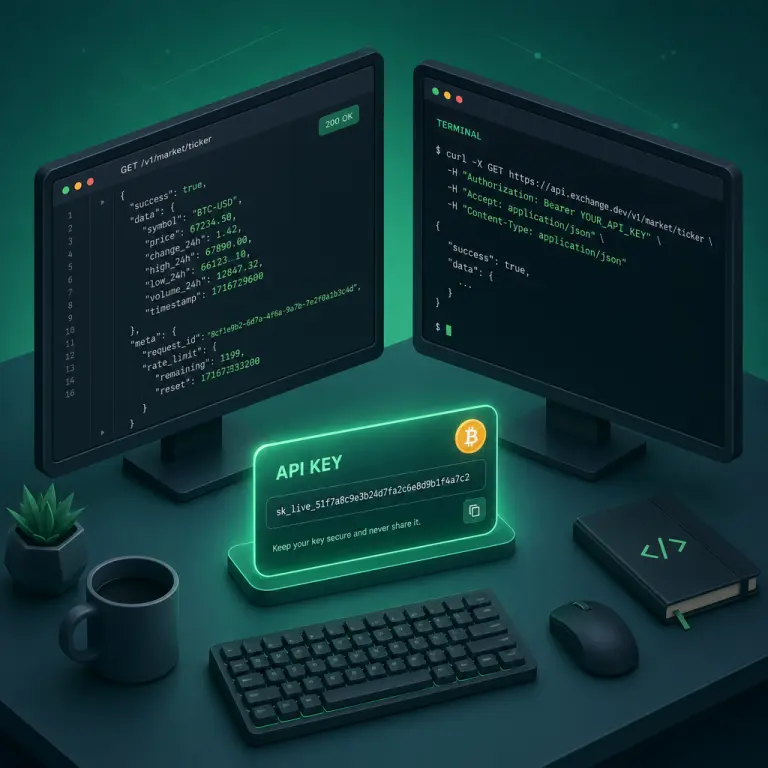
Why a Mining API Matters
Once you run more than one or two miners, the web dashboard stops being the fastest way to see everything. You want a single pane of glass that pulls your NoxHash hashrate next to your exchange balances, your pool stats from other operators, and your own BTC price alerts. An API makes that possible without any copy-paste or screen scraping.
The NoxHash API is being designed around three use cases we hear repeatedly from operators: monitoring, portfolio tracking, and custom integrations. The endpoint names and payloads below describe the shape we expect to ship; treat them as a technical preview rather than a frozen contract.
Automated monitoring
Poll live hashrate and miner status, then alert on Telegram, Slack, or email when a machine drops below a threshold.
Portfolio tracking
Sync BTC balance, daily earnings, and transaction history into Google Sheets, Notion, or a self-hosted BI tool.
Custom integrations
Build bots, reports, or internal tools that fit your workflow — without waiting on UI features to land.
Authentication — How API Keys Will Work
Every protected request will need an API key sent in the Authorization HTTP header as a bearer token. This is the standard pattern followed by most modern REST APIs and keeps the key out of URLs, referer logs, and browser history.
1. Generate a key
Go to Profile → API Keys, give the key a descriptive name (for example monitoring-bot), and optionally set an expiry date. Copy the plain-text key immediately — it is shown only once and stored as a hash afterwards.
2. Send it on every request
Add Authorization: Bearer YOUR_API_KEY to every call. Store the key as an environment variable — never commit it to git, never paste it into client-side JavaScript, and never log it.
Example request (curl pseudo-code)
The snippet below shows the expected shape. Replace nxh_live_... with the key you copied from your Profile page.
curl -X GET "https://noxhash.com/api/v1/miners" \
  -H "Authorization: Bearer nxh_live_YOUR_KEY_HERE" \
  -H "Accept: application/json"
A successful response returns JSON with a data array and pagination metadata. Unauthorized requests return HTTP 401; requests without a valid scope return 403.
Planned Endpoint Reference
The table below lists the endpoints we expect to expose in the first public release. Names and fields may shift slightly before launch, so check the live documentation when you start coding. All endpoints are read-only to start; write operations (starting miners, creating withdrawal requests) will follow once the read API is stable.
| Method & Path | Purpose | Typical use |
|---|---|---|
| GET /v1/miners | List rented miners | Status, hashrate, days remaining |
| GET /v1/miners/{id} | Fetch one miner | Detailed spec and uptime |
| GET /v1/earnings | Earnings history | Daily BTC rewards, filter by range |
| GET /v1/transactions | Deposits & withdrawals | Audit trail for accounting |
| GET /v1/wallet | Current balance | BTC balance plus USD conversion |
| GET /v1/plans | Marketplace catalog | Tier pricing for comparison tools |
Every list endpoint will return paginated results using the common ?page=1&per_page=25 query pattern, with a meta object containing total, page, and per_page. Defaults cap around 25 items per page to keep response times fast.
Rate Limits and Webhooks
Polling an API every second is wasteful when the data you care about changes every few minutes. The NoxHash API will combine sensible rate limits with a webhook system so you can choose the right tool for each job.
Rate limits
Expect a per-key limit measured in requests per minute. Every response will include headers such as X-RateLimit-Limit, X-RateLimit-Remaining, and X-RateLimit-Reset. When you hit the ceiling, requests return HTTP 429 with a Retry-After header — back off and retry rather than hammering the endpoint.
Webhooks for events
For anything time-sensitive — a miner going offline, a deposit confirming, a rental expiring — webhooks are strictly better than polling. You register a URL, the NoxHash backend POSTs a signed JSON payload when the event fires, and your server reacts in real time. Typical events we plan to ship:
- miner.status_changed — a machine transitions between Running, Stopped, or Expired.
- deposit.confirmed — an incoming USDT deposit is credited to your wallet.
- withdrawal.processed — a BTC withdrawal completes on-chain.
- rental.expiring_soon — fires roughly 7 days before a rental ends so you can renew proactively.
Payloads will be signed with an HMAC secret so your server can verify authenticity before acting. Follow the guidance in the OWASP API Security Top 10 when designing your webhook handler — especially around input validation, authentication, and replay protection.
Create your first API key before the endpoints land
You have already seen the authentication flow and the planned endpoint map above. Open your NoxHash account now, head to Profile → API Keys, and you will be ready to hit /v1/miners the minute it goes public.

Four Automation Patterns Worth Building
Below are the most common workflows operators build once they have API access. None of them is exotic — but each saves real time compared with checking the web dashboard by hand.
Hashrate drop alerts
Poll /v1/miners every 5 minutes. If any miner's reported hashrate is below 80% of its rated TH/s for two consecutive checks, fire a Telegram message so you can investigate or contact support.
Daily earnings dashboard
Pull /v1/earnings once a day into Google Sheets or a Grafana panel. Chart BTC earned, USD equivalent, and running totals next to your BTC price data.
Deposit reconciliation
Subscribe to deposit.confirmed webhooks, then post a line to your accounting spreadsheet with the amount, network (TRC-20 or BEP-20), and timestamp. No more cross-checking block explorers manually.
Rental renewal reminders
Listen for rental.expiring_soon and automatically email yourself a recap of the miners due to expire. Combine with /v1/plans to compare fresh pricing before renewing.
Keep Your API Key Safe
An API key is equivalent to your password for the endpoints it can access — treat it accordingly. The habits below are quick to set up and make a leaked key far less damaging:
- Never commit keys to git. Put them in a
.envfile that is gitignored, or use a secrets manager like 1Password, Doppler, or AWS Secrets Manager. - Call the API from a server, not the browser. Client-side JavaScript ships your key to anyone who opens DevTools. Proxy requests through your own backend instead.
- Set an expiry on each key. A key with a 90-day expiry limits the blast radius if it leaks. Rotate on a schedule that fits your risk tolerance.
- Revoke keys you no longer use. Delete old scripts and demo keys from Profile → API Keys the moment they are obsolete.
- Monitor for unusual activity. If you see requests you did not make, revoke the key immediately and investigate where it may have leaked.
Frequently Asked Questions
Is the NoxHash API available right now?
API key generation and revocation already work from Profile → API Keys. The public REST endpoints described in this guide are part of an ongoing rollout; endpoint names and response shapes may change before general availability. Always check the live documentation when you begin integration work.
How many API keys can I create per account?
You can create multiple keys and give each a descriptive name and optional expiry date. A common pattern is one key per integration — monitoring-bot, sheets-sync, personal-cli — so that if one leaks, you can revoke only that key without breaking the others.
What happens if I lose an API key?
Plain-text keys are shown only once at creation and stored as hashes afterwards, so we cannot recover a lost key. Delete the old entry in Profile → API Keys, generate a new one, and update the environment variable in whichever script or service relied on it.
Will the API ever expose write actions, not just reads?
The plan is to ship read endpoints first, then add write operations such as starting or stopping miners and creating rental orders once the read surface is stable and well-documented. Sensitive actions like withdrawals will likely require additional protection, such as a 2FA challenge or a scoped key.
Which programming languages work with the API?
Any language that can send an HTTPS request and parse JSON — so effectively every modern language. Python with requests, Node.js with fetch, Go with net/http, PHP with Guzzle, and shell scripts with curl are all first-class citizens. Official SDKs are not required to get started.
How do I verify a webhook really came from NoxHash?
Webhook deliveries will include an HMAC signature header computed from the raw request body and a shared secret you configure when subscribing. Your handler recomputes the signature and compares it in constant time before acting on the payload — a standard pattern also used by Stripe, GitHub, and Slack.
Technical preview — the spec may evolve
Endpoint paths, field names, rate limits, and webhook payloads described in this guide reflect our current design direction and may change before public release. Always consult the live NoxHash API documentation for the authoritative specification when you begin building. This article is informational only and is not financial or investment advice; any mining income depends on BTC price, network difficulty, and market conditions that can change quickly. Only commit funds or infrastructure time you can afford to lose.