How to Sign In with Google on NoxHash
Sign in to NoxHash with Google in under 20 seconds. See exact steps, scopes Google shares, recovery options, and security tips for your cloud mining account.
Signing in to NoxHash with Google takes one click. On the login or register page, choose Continue with Google, pick your Google account, and you land on the mining dashboard — no password to remember, no CAPTCHA to solve, and your email is verified automatically. Same features, same plans, faster access.
Why Sign In with Google Instead of Email
Both sign-in methods give you the exact same NoxHash account — same four mining plans, same BTC wallet, same dashboard. Choosing Google just trims the friction. If you already trust Google for mail and files, letting Google handle the login is both faster and, for most users, safer than reusing an old password.
Around 20 seconds
No form to fill, no CAPTCHA, no verification email. Pick the account and you are in.
No new password
Google's existing 2FA, hardware keys, and risk checks protect your NoxHash login too.
Auto-verified email
Google confirms you own the address, so you can activate your free 2-day trial straight away.
Sign In with Google in 4 Steps
The flow is the same whether you're creating a brand-new NoxHash account or returning to one you already have — Google sign-in works for both. Here is exactly what happens, from click to dashboard:
Open the NoxHash login or register page
Click Log In or Sign Up from the top-right of any NoxHash page. Both pages show the same Continue with Google option at the top of the form, above the email field.
Click Continue with Google
A Google-hosted window opens (URL starts with accounts.google.com). Always check the domain — a legitimate Google consent screen is never shown inside a NoxHash popup or iframe.
Pick your Google account and review scopes
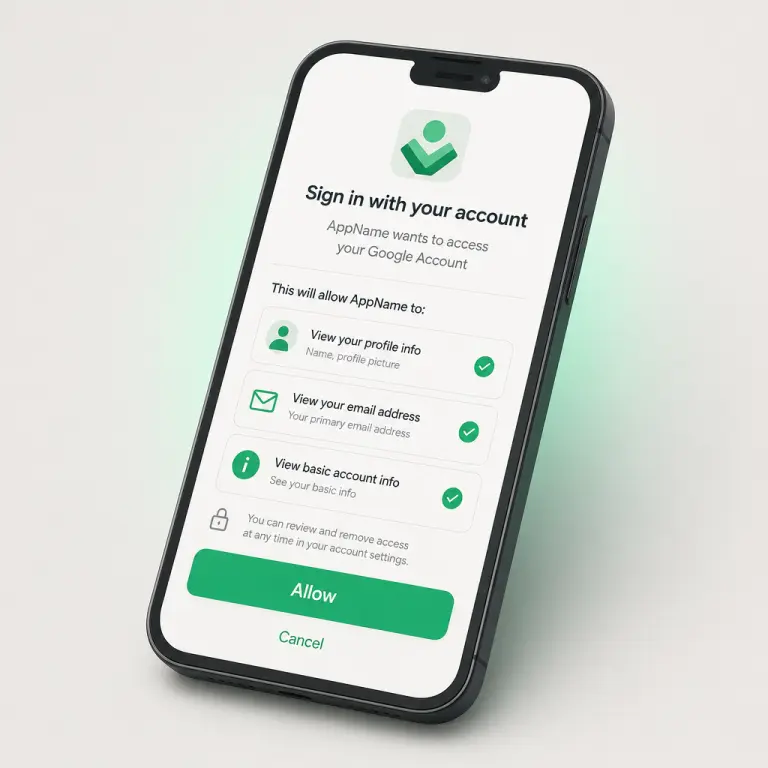
If you're signed into several Google accounts, Google shows a chooser. Pick the one you want tied to NoxHash. Google then displays exactly which data NoxHash will read — see the next section for the full list.
Land on your NoxHash dashboard
Google redirects you back. If your Google email already exists on NoxHash, you're logged in. If it's new, a fresh account is created instantly and linked to Google. Either way, you arrive at the dashboard with your free 2-day Basic Miner trial ready to activate.
What Does Google Share with NoxHash?
The Google consent screen is explicit — you see the exact permissions before you approve. NoxHash asks for the minimum needed to create and identify your account. Nothing more, and certainly nothing about your emails, contacts, or Drive files.
| Scope | What NoxHash receives | Why it's needed |
|---|---|---|
openid |
A unique Google user ID | Links future logins to the same account |
email |
Your primary Gmail/Workspace address | Used for login, earnings reports, and recovery |
profile |
Display name and profile picture | Pre-fills your NoxHash profile so you don't have to |
| Inbox, Drive, contacts | Never requested | Mining doesn't need them; we don't ask |
You can confirm and revoke these permissions any time at myaccount.google.com under Security → Your connections to third-party apps & services. Revoking there disconnects Google from NoxHash — you'd then need to set a NoxHash password (via Forgot Password) to keep signing in.
Use those 4 steps right now
You've seen the exact flow and the scopes Google shares above. Open the NoxHash sign-in page, click Continue with Google, and you'll be at your dashboard — free 2-day Basic Miner trial included — in about 20 seconds.
Switching Between Google and Email Login
Your first sign-in method isn't a life sentence — NoxHash lets you change how you log in later without losing your miners, wallet balance, or history. Here are the three most common situations:
Started with Google, want a password too
Use Forgot Password on the login page. NoxHash emails you a reset link; set a password and from then on you can use either method on the same account.
Started with email, want to add Google
Click Continue with Google on the login page using the same Google address as your NoxHash email. The two get linked automatically — no duplicate account is created.
Different email on Google and NoxHash
Signing in with a Google account whose address doesn't match creates a new, separate NoxHash account. Contact support if you need your miners merged onto one record.
Lost your Google account
First try Google's own recovery process. If that fails, use Forgot Password on NoxHash to set a new password on the same email, then contact support to help with identity verification.
Security Considerations When Using Google Sign-In
Using Google to log in is convenient, but it also concentrates risk: if your Google account is breached, the attacker gets NoxHash for free. A few minutes of hardening goes a long way. The US Cybersecurity and Infrastructure Security Agency's account security guidance from CISA covers the same fundamentals that protect your mining account.
- Turn on Google 2-Step Verification — ideally with a hardware security key or passkey, not SMS. This is the single biggest protection for anything linked to that Google account.
- Enable NoxHash 2FA too — open Profile → Security, scan the QR with Google Authenticator or Authy, and save the 8 recovery codes somewhere offline. That way even a full Google compromise won't unlock withdrawals.
- Check connected apps every few months — go to myaccount.google.com → Security and revoke anything you no longer use. Fewer connections mean a smaller blast radius.
- Always verify the URL before clicking "Allow" — legitimate Google consent pages live on
accounts.google.com. Phishing look-alikes often use subdomains likegoogle-accounts.xyz. - Bookmark the real NoxHash domain — never log in from a link in an email, Telegram message, or search ad. Fake login pages are the most common way crypto accounts are stolen.
Frequently Asked Questions
Does Google sign-in unlock the same features as email sign-up?
Yes, completely. Google and email accounts are identical on the inside — same four mining plans (Basic $20, Standard $50, Pro $100, Enterprise $250), same wallet, same free 2-day trial, same USDT deposits and BTC withdrawals. The only difference is how you authenticate at the door.
Can NoxHash read my Gmail inbox or Google Drive files?
No. NoxHash only requests openid, email, and profile — just enough to identify you and pre-fill your name and avatar. Gmail, Drive, Calendar, contacts, and every other Google service remain completely inaccessible to the platform.
What happens if I lose access to my Google account?
First, try Google's own account recovery — it's the fastest route back. If your Google email still works, use Forgot Password on NoxHash to set a direct password and keep signing in that way. If you've permanently lost the Google email, contact NoxHash support with verification details.
Do I still need to enable NoxHash 2FA if Google already has 2FA?
Yes — we strongly recommend it. Google 2FA protects the sign-in step; NoxHash 2FA adds a second layer for sensitive actions like withdrawals. If someone ever bypasses Google (stolen session, phishing), the NoxHash TOTP code is still required before any BTC can leave your wallet.
Can I revoke NoxHash's access from my Google account later?
Absolutely. Go to myaccount.google.com → Security → Your connections to third-party apps & services, find NoxHash, and click Remove access. You can still log in afterwards using a NoxHash password (set one via Forgot Password if you haven't already).
Why does NoxHash sometimes ask me to re-authenticate with Google?
Sessions expire after a period of inactivity or when Google detects a change — a new device, location, or updated password. This is a safety feature, not an error. Clicking Continue with Google again re-verifies you quickly and does not reset any account data.
Not financial advice
This guide covers sign-in only. Renting cloud mining is an investment in a volatile asset — Bitcoin earnings depend on BTC price, network difficulty, and market conditions, all of which can change quickly. Past results do not guarantee future performance. Only commit funds you can afford to lose, and consider a local tax advisor for questions about crypto earnings in your country.