How to Send USDT — Step-by-Step TRC-20 and BEP-20 Walkthrough
Step-by-step walkthrough for sending USDT on TRC-20 (Tron) and BEP-20 (BNB Smart Chain): network selection, gas, addresses, confirmations, and common pitfalls.
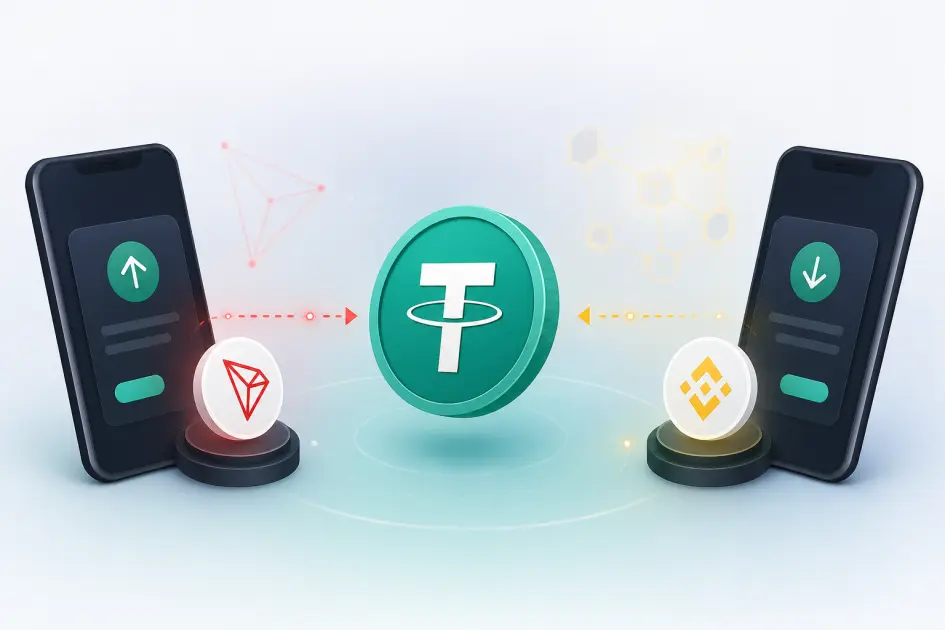
Sending USDT is simple once you match three things: the right network, the right gas token, and the right address format. TRC-20 runs on Tron, uses TRX (or rented energy) for fees, and addresses start with T. BEP-20 runs on BNB Smart Chain, needs a little BNB for gas, and uses 0x addresses. Both confirm in under a minute and never use memos or tags.
Step Zero — Pick the Right Network on the Sender Side
The single most expensive mistake in crypto is not a bad chart — it is picking the wrong network in your wallet. USDT exists as many different tokens on many different chains (Tron, BNB Smart Chain, Ethereum, Solana, Polygon, Arbitrum). They are not interchangeable: a TRC-20 USDT sent to a BEP-20 address is gone, not delayed.
NoxHash accepts exactly two of these today — TRC-20 (Tron) and BEP-20 (BNB Smart Chain). Before you click "send" anywhere, you must confirm both sides agree: the withdrawal network on your exchange or wallet must match the deposit network shown on the NoxHash deposit page.
| Property | TRC-20 (Tron) | BEP-20 (BNB Smart Chain) |
|---|---|---|
| Underlying chain | Tron | BNB Smart Chain (BSC) |
| Address prefix | T (34 chars, e.g. TQn9Y2khDD95J42FQtQTdwVVR...) |
0x (42 chars, e.g. 0x5C...a3f7) |
| Gas token | TRX (or rented energy) | BNB |
| Typical fee per USDT transfer | ~$1–2 (13–27 TRX burn, less with energy) | ~$0.05–0.30 (typically well under $1) |
| Confirmation time | ~3 seconds per block; final in ~1 minute | ~3 seconds per block; final in ~15–45 seconds |
| Memo / tag required? | No | No |
| NoxHash minimum | $10 USDT | $10 USDT |
Fees reflect typical ranges observed on both networks in early 2026. On Tron, a single USDT transfer consumes roughly 65,000 energy units for a repeat transfer and around 130,000 for a first-time transfer to a brand-new address — see Tronscan for live numbers. BSC fees can be verified on BscScan's transaction fee chart.
TRC-20 Walkthrough — Sending USDT on Tron
TRC-20 is the most common USDT network for deposits at NoxHash because exchange withdrawal fees are usually cheap and block times are fast. The one thing it requires that catches beginners off guard is energy — Tron's version of gas. If you have enough energy (frozen TRX or rented), the transfer costs almost nothing. If you have none, the network silently burns ~13–27 TRX (≈$1–2 at early-2026 prices) from your wallet.
Open the NoxHash deposit page and copy your TRC-20 address
Sign in, go to Wallet → Deposit, select TRC-20, and enter the amount you want to fund (minimum $10). NoxHash will generate a unique amount such as $100.03 — that tiny cents portion is how the system auto-matches your transaction. Copy the address shown or scan the QR code.
On the sender side, select USDT-TRC20 (not ERC-20, not BEP-20)
In Binance, OKX, Bybit, Kraken, or a self-custody wallet like TronLink or Trust Wallet, pick USDT, then explicitly choose the Tron / TRC-20 network in the withdrawal dropdown. If the address you paste starts with T and the wallet accepts it without complaining, you are on the correct network.
Make sure you have enough TRX (or rented energy) for gas
From a centralised exchange the fee is baked into the withdrawal. From a self-custody wallet you typically need 15–30 TRX sitting in the wallet to cover a few USDT transfers. Running on empty means the transaction fails at signing — the money stays put, but you wasted a minute.
Paste the address, enter the exact amount, and leave the memo/tag field blank
TRC-20 does not use memos or destination tags. Any memo field shown by your wallet is either optional (safe to leave empty) or a leftover from a different asset. Enter the exact amount shown on NoxHash — including the unique cents (e.g. $100.03, not $100).
Confirm, then track the tx hash on Tronscan
Once broadcast, you'll get a transaction hash (a 64-character string). Paste it into tronscan.org to watch the confirmations tick up. NoxHash auto-credits after a small confirmation buffer, usually within 1–3 minutes of the first confirmation.
Energy rental is cheaper than TRX burn
If you're funding a self-custody wallet for repeated transfers, renting 65,000 energy for a few TRX is typically 30–50% cheaper than letting the network burn TRX. Occasional senders can ignore this — just top up a few TRX and move on.
First transfer to a new address costs more
Tron charges roughly double the energy (~130,000) when sending USDT to an address that has never received USDT before. NoxHash deposit addresses have seen heavy use, so you're almost always on the cheaper ~65,000 energy path.
BEP-20 Walkthrough — Sending USDT on BNB Smart Chain
BEP-20 is the cheapest way to move USDT by a wide margin: fees are typically well under $0.30, often a few cents, and blocks confirm every 3 seconds. The tradeoff is that some centralised exchanges list it under "BSC" rather than "BEP-20", and the address format looks identical to Ethereum — which is how people occasionally mis-select ERC-20 and pay 100× more in gas.
Generate your BEP-20 deposit on NoxHash
Same page as before — Wallet → Deposit — but this time select BEP-20. Enter the amount, and again NoxHash will show a unique amount with cents (e.g. $50.07) and an address starting with 0x. Copy the address or scan the QR.
On the sender side, pick BEP-20 / BSC — not ERC-20
This is the single most common error with BNB Smart Chain. The address 0x5C…a3f7 is syntactically valid on Ethereum, BSC, Polygon, Arbitrum, and several other EVM chains. If you select ERC-20, your USDT lands on Ethereum and the NoxHash BSC address will never see it. Double-check the network label in your wallet reads "BSC", "BNB Smart Chain", or "BEP-20" before you continue.
Keep a small BNB balance for gas
BEP-20 gas is paid in BNB. For a self-custody wallet, a single USDT transfer usually costs 0.0001–0.0005 BNB (a few cents). Keep roughly 0.005–0.01 BNB in the wallet — enough for dozens of future transfers without having to top up each time.
Paste, enter exact amount, leave memo blank, send
Same rule as TRC-20: no memo, no destination tag. EVM chains do not use them. Match the amount exactly, including the unique cents the NoxHash system generated — otherwise auto-matching fails and you'll need manual support.
Track on BscScan — it will arrive in seconds
Copy the tx hash into bscscan.com. BNB Smart Chain finalises blocks every 3 seconds, so you'll typically see "Success" within 15–45 seconds. NoxHash then auto-credits within 1–3 minutes of confirmation.
Put the walkthrough into practice
Open the NoxHash deposit page, pick TRC-20 or BEP-20, and send a small first transfer to confirm the flow works end-to-end before committing real funds. The whole round-trip usually takes under five minutes.
Address Format, Memos, and How to Verify Before You Hit Send
The difference between a confident sender and a nervous one is a 10-second verification habit before every transaction. Two checks catch 99% of costly mistakes.
Check 1 — First and last 4 characters
Compare the first 4 and last 4 characters of the address shown in your wallet's "confirm transaction" screen with the address on NoxHash. Malware that rewrites clipboard contents targets the middle of the string precisely because people only glance at the start. Two quick glances defeats it.
Check 2 — Network label, written out
Read the network label aloud: "Tron TRC-20" or "BNB Smart Chain BEP-20". If it says "Ethereum", "ERC-20", "Polygon", "Arbitrum", or "Solana", stop — you're on the wrong chain. This is not a recoverable mistake.
On the memo question — neither TRC-20 nor BEP-20 supports memos or destination tags. Those fields belong to chains like XRP, XLM, and some BNB Beacon Chain (BEP-2) assets, none of which NoxHash accepts. If your wallet shows a memo field for USDT on Tron or BSC, leave it completely empty. Typing anything in it has no effect on routing but can occasionally confuse older wallet software into rejecting the transaction.
Confirmation Times — What "Pending" Actually Means
Both networks produce blocks roughly every 3 seconds, which is why USDT transfers feel near-instant compared to a Bitcoin confirmation. But "block produced" is not the same as "credited to your account". Here is what happens between the two.
| Stage | TRC-20 | BEP-20 |
|---|---|---|
| Broadcast to mempool | Instant | Instant |
| First confirmation (1 block) | ~3 sec | ~3 sec |
| Typical platform confirmation buffer | ~19 blocks (~1 minute) | ~15 blocks (~45 seconds) |
| Typical NoxHash credit | 1–3 minutes after confirmation | 1–3 minutes after confirmation |
Remember the 30-minute window. The NoxHash deposit session expires 30 minutes after you generate the unique amount. If your exchange queues withdrawals or you sent the wrong amount and then "topped up" with a second transfer, the session may close before the full amount arrives. In practice this is rare — both TRC-20 and BEP-20 clear well inside the window — but if it happens, contact support with your tx hash and the system can still reconcile it manually.
Which Network Should You Actually Pick?
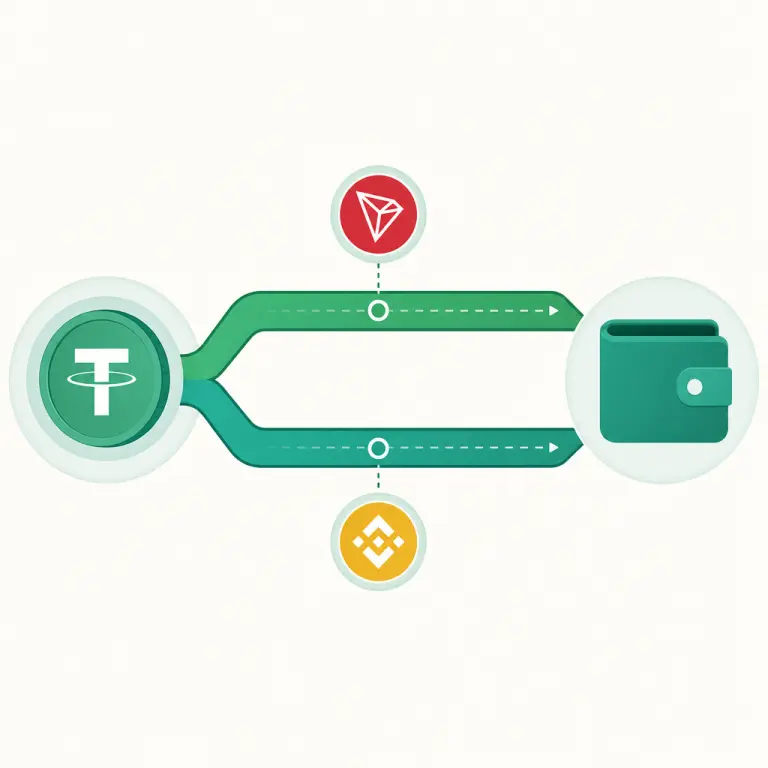
Both networks credit your NoxHash account at the same speed. The right choice depends on where the USDT is coming from and how much you're moving.
Sending from Binance / OKX / Bybit
Either works. BEP-20 is usually cheaper on withdrawal fees at Binance; TRC-20 is the default at most others. Pick the cheaper option in the withdrawal dialog.
Self-custody wallet, small amount
BEP-20 wins hands down. A few cents in BNB beats paying ~$1–2 to burn TRX for a $20 top-up. Keep a pinch of BNB around for convenience.
P2P / over-the-counter source
TRC-20 is the lingua franca of P2P USDT. If the counterparty offers it by default, accept — the counterparty pays the transfer fee and you just match the exact amount on NoxHash.
Still undecided? Read our deeper comparison in TRC-20 vs BEP-20 — Which Network Is Cheaper, Faster, and Safer? which breaks down the security models of both chains alongside the fee difference. And before your first real transfer, skim Common Mistakes When Sending USDT — And How to Avoid Them so you don't learn the lessons the expensive way.
Frequently Asked Questions
Do I need a memo or destination tag when sending USDT to NoxHash?
No. Neither TRC-20 (Tron) nor BEP-20 (BNB Smart Chain) uses memos or destination tags. Leave any memo field in your wallet completely blank. NoxHash auto-matches your deposit using the unique cents amount it generated, not a memo.
What happens if I send USDT on the wrong network?
In most cases the funds are effectively lost — recovery is not automatic. If you sent ERC-20 USDT to a BEP-20 address, for instance, the tokens live on Ethereum but the destination address exists on a different chain you don't control. Always double-check the network label before sending.
Why does my transfer cost $1–2 on Tron if TRC-20 is supposed to be cheap?
Tron uses "energy" instead of gas. If you don't have enough frozen TRX or rented energy, the network burns ~13–27 TRX from your wallet to execute the USDT contract. Freezing TRX or renting energy from a service drops this to a few cents per transfer — worth it only for frequent senders.
How long until NoxHash credits my deposit?
For both TRC-20 and BEP-20, expect credit within 1–3 minutes after the first on-chain confirmation. Total time from "send" to "credited" is usually under 5 minutes. If your deposit hasn't arrived after 10 minutes with a confirmed tx hash, open a support ticket.
Can I send a rounded amount like $100 instead of the exact $100.03 shown?
No — the unique cents amount is how NoxHash auto-matches your deposit to your account. Sending a rounded number means the system cannot identify the transaction automatically and you'll need to contact support with your tx hash to have it credited manually.
Verify the network before every transfer
This guide describes the current NoxHash deposit flow for USDT on TRC-20 and BEP-20 and reflects typical network conditions as of early 2026. Network fees, energy costs, and block times change — always check live values on Tronscan or BscScan for critical transfers. Crypto transactions are irreversible: a transfer on the wrong network is generally not recoverable. This article is informational and not financial advice.