How to Deposit USDT on NoxHash — TRC-20 vs BEP-20
Deposit USDT on NoxHash in minutes. Compare TRC-20 vs BEP-20 fees, follow the 30-minute step-by-step flow, and avoid the two mistakes that kill deposits.
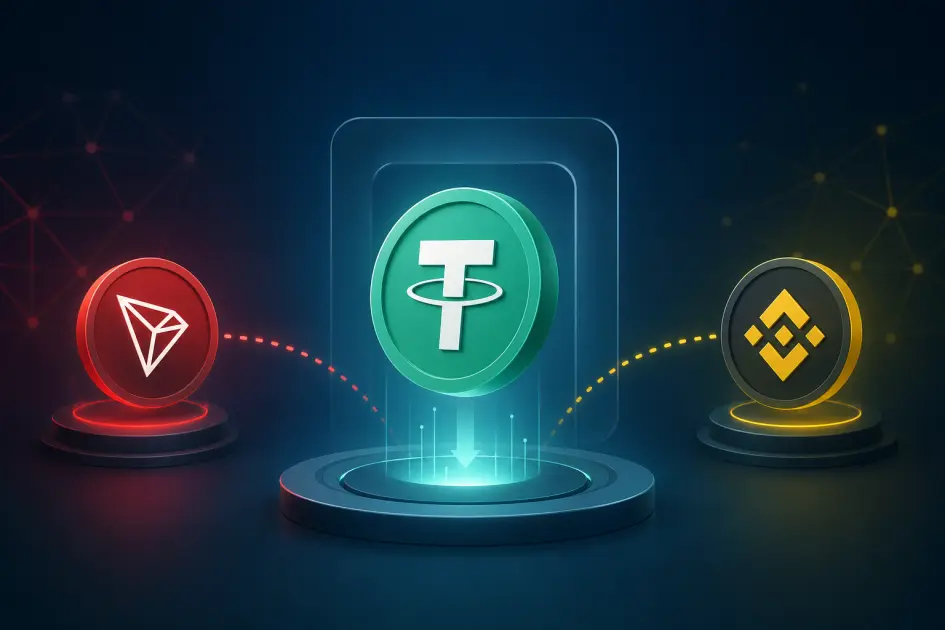
Depositing USDT on NoxHash takes about five minutes. You pick a network — TRC-20 (Tron) for wide support or BEP-20 (BSC) for cheaper, faster fees — enter an amount between $10 and $50,000, then send the exact dollars-and-cents value to the generated address within 30 minutes. USDT is auto-converted to BTC at the market rate.

How NoxHash Deposits Actually Work
NoxHash accepts deposits in USDT (Tether) — the dollar-pegged stablecoin — and credits your balance by converting it to BTC at the real-time market rate. You don't send BTC, ETH, or any other coin; only USDT on two supported networks. Once your BTC balance is credited, you use it to rent miners from the Marketplace or withdraw to an external Bitcoin wallet.
The deposit engine uses a clever auto-verification trick: when you request a deposit, the system generates a unique amount with extra cents (for example, $100.03 instead of a round $100). That cent-level suffix is a fingerprint that lets NoxHash match your on-chain transaction to your account automatically — no support ticket required.
USDT only
NoxHash accepts Tether (USDT) via TRC-20 or BEP-20. Sending any other asset or using a different network will not credit your balance.
30-minute window
Every deposit request is valid for 30 minutes. After that, it expires and you must start a new request to get a fresh amount.
Auto-converted to BTC
Once confirmed on-chain, your USDT is converted to BTC at the live market rate and credited to your NoxHash wallet.
TRC-20 vs BEP-20 — Which Network Should You Pick?
Both networks carry the same USDT and land in the same NoxHash balance. The difference is in fees, speed, and which wallet you already use. Here's how they stack up so you can pick in one glance.
| Factor | TRC-20 (Tron) | BEP-20 (BSC) |
|---|---|---|
| Underlying chain | Tron | Binance Smart Chain |
| Typical network fee | ~$1 to $2 per transfer | ~$0.05 to $0.30 per transfer |
| Confirmation speed | Slower — typical block time ~3 seconds, but exchange withdrawals add delay | Faster — ~3-second blocks, lighter network load |
| Best for | Users whose exchange or wallet only supports Tron USDT | Small deposits (near the $10 minimum) and users on Binance / BNB-friendly wallets |
| Address format | Starts with T |
Starts with 0x |
| Final USDT credited | Identical — same USDT, same NoxHash balance | Identical — same USDT, same NoxHash balance |
A simple rule of thumb: if your exchange offers both networks with the same withdrawal fee, pick BEP-20 — it's cheaper on-chain and equally fast. If you hold USDT on a Tron-native wallet or your exchange charges a big withdrawal premium on BSC, TRC-20 is the practical choice. For deposits close to the $10 minimum, BEP-20's sub-dollar fee leaves noticeably more USDT in your mining wallet.
Deposit USDT in 6 Steps
Here's the full flow from opening the Wallet page to seeing your balance update. Nothing in this sequence requires technical knowledge — just follow the order and double-check each number before you hit send.
Open Wallet and click Deposit
From your signed-in dashboard, go to Wallet → Deposit. You'll see a two-field form: a network selector and an amount input, plus your current BTC and USDT-equivalent balance above.
Choose the network
Pick TRC-20 or BEP-20 based on the comparison above. This must match the network your sending wallet or exchange will actually broadcast on — if you pick TRC-20 here but send on BEP-20, the funds will not reach your NoxHash balance automatically.
Enter the amount you want to deposit
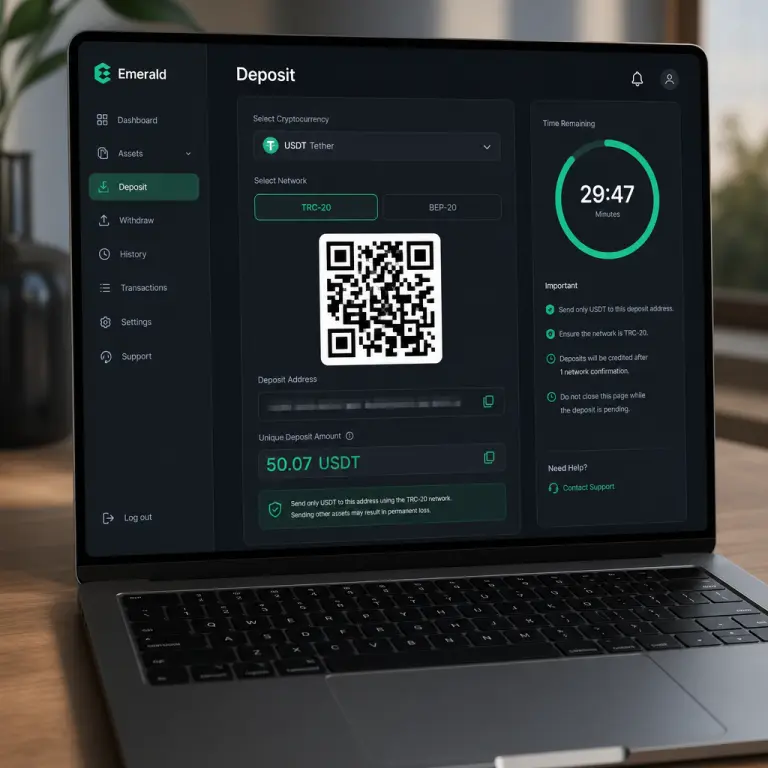
Type any USD amount between $10 and $50,000. Most new users start at $20 or $50 — enough to rent a Basic or Standard Miner for one month. When you submit, NoxHash generates a unique final amount with extra cents, e.g. $50.07 instead of a round $50.
Send the exact amount to the displayed address
A screen opens with the deposit address, a QR code, the unique amount, and a 30-minute countdown timer. Scan the QR with your wallet app (or paste the address manually), then send the exact amount including cents. Copy-paste is safer than typing — one wrong digit in the address can mean lost funds.
Wait for on-chain confirmation
NoxHash watches the blockchain for a transaction matching your address + your unique amount. Once it confirms — usually within a few minutes on either network — the deposit status switches from Pending to Confirmed. You'll see it in your Transactions list in near real time.
USDT is auto-converted to BTC
The confirmed USDT is converted to BTC at the current market rate and credited to your NoxHash BTC wallet. You can now head to the Marketplace to rent a miner or hold the balance for later. The full flow — from click to credit — typically takes 5 to 15 minutes end-to-end.
The Two Rules That Determine Whether Your Deposit Works
Nearly every failed NoxHash deposit fails for one of two reasons. Internalize these two rules and you'll essentially never have a deposit stuck in limbo.
Rule 1 — Send the exact amount, cents included
If NoxHash shows $50.07, send exactly 50.07 USDT — not $50, not $50.10. Those extra cents are the fingerprint the auto-verifier uses to match the on-chain transaction to your account.
Rule 2 — Finish within the 30-minute window
The deposit request is valid for 30 minutes. If you haven't sent by then, the unique amount expires — close the screen and start a new request. Don't send on an expired window; the automated match won't fire.
Bonus — Match the network on both ends
If you picked TRC-20 on NoxHash, choose TRC-20 on your exchange or wallet's withdrawal screen too. A TRC-20 address cannot receive a BEP-20 transaction automatically.
Bonus — Always copy-paste the address
Never retype a crypto address. Use copy-paste or the QR code scanner. Clipboard-hijacking malware exists; verify the first and last four characters match after pasting into your wallet.
Put the 6-step deposit flow into practice
You know the networks, you know the two rules that matter, and you know the exact sequence. Open your Wallet page and send your first USDT deposit — the auto-verifier does the rest.
Troubleshooting — When Something Goes Wrong
Even with two straightforward rules, mistakes happen — especially on a first deposit. Here's how to recognize the three most common issues and what to do about each.
- You sent the wrong amount (off by a few cents or a round number). The auto-verifier won't match it. The USDT did arrive on-chain at the right address, so funds are not lost — they simply aren't credited automatically. Open a support ticket with your transaction hash (TxID) and the amount, and NoxHash can reconcile it manually.
- Your 30-minute window expired while you were sending. If the transaction is still pending on-chain at expiry, you still want it to go through. Keep the TxID handy — once it confirms, contact support with the expired deposit reference and the TxID so they can credit the balance manually.
- You sent on the wrong network (TRC-20 address, BEP-20 transfer, or vice versa). This is the most serious case. Automated crediting will not happen, and recovery depends on whether the address you sent to exists and is controlled on the other chain. Stop, take a screenshot of the transaction, and contact support immediately — do not attempt further transfers to the same address.
Across all three cases, the fix is the same: don't panic, don't send again, and contact support with your TxID. Every USDT transaction leaves a permanent on-chain record, which makes reconciliation possible in most scenarios.
Frequently Asked Questions
What is the minimum and maximum deposit on NoxHash?
The minimum deposit is $10 USDT and the maximum is $50,000 USDT per request. Most first-time users start around $20 to try a Basic Miner for one month. There is no limit on how many separate deposits you can make over time, so you can scale up gradually.
Why is my deposit amount not a round number?
The cent-level suffix on amounts like $50.07 is a unique identifier that lets NoxHash automatically match your blockchain transaction to your account. Without it, two users depositing the same round amount to the same address would be indistinguishable. Always send the exact amount shown, cents included.
How long does a USDT deposit take to appear on NoxHash?
Most deposits confirm and credit your wallet within 5 to 15 minutes. On-chain confirmation usually takes a few minutes on both TRC-20 and BEP-20; network congestion or an exchange batching withdrawals can add delay. If nothing appears within an hour, check the TxID on a block explorer first before contacting support.
What happens if I send the wrong network or wrong amount?
Auto-verification will not fire, but the USDT is not necessarily lost. Keep the transaction hash (TxID) and contact support through your account. Wrong-amount and expired-window deposits can typically be reconciled manually. Wrong-network transfers are the riskiest case and require immediate support attention — do not send again.
Is TRC-20 or BEP-20 cheaper overall?
BEP-20 is typically cheaper on-chain, at roughly $0.05–$0.30 per transfer versus $1–$2 on TRC-20. However, your exchange may charge a different withdrawal fee for each network. Always compare the total cost — on-chain fee plus exchange withdrawal fee — before choosing, especially for deposits close to the $10 minimum.
At what exchange rate is USDT converted to BTC?
Conversion uses the live market BTC/USDT rate at the moment your deposit is confirmed on-chain. Because BTC price can move between when you start a deposit and when it confirms, the final BTC credited may differ slightly from a pre-submission estimate. This behavior is standard across cloud mining platforms.
Not financial advice
This guide covers the deposit process only. Any decision to convert USDT to BTC and rent a miner is an investment in a volatile asset — Bitcoin price, network difficulty, and market conditions can change quickly, and past results do not guarantee future performance. Network fees and confirmation times are approximate and can vary with on-chain congestion. Only commit funds you can afford to lose, and consider a local tax advisor for questions about crypto earnings in your country.