How to Create and Manage API Keys on NoxHash
Generate, store, rotate, and revoke NoxHash API keys safely. Step-by-step guide with security best practices for automation and third-party integrations.
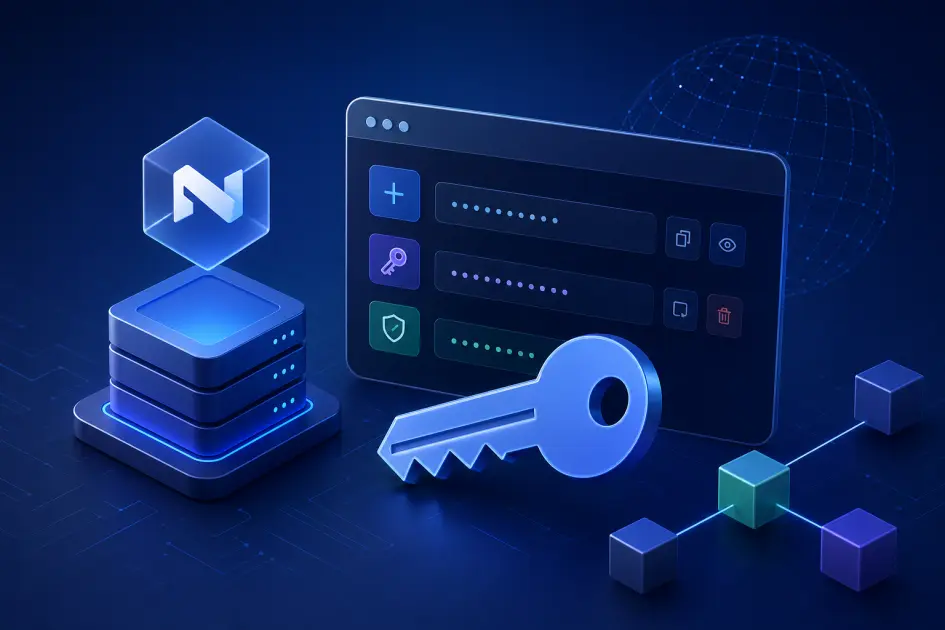
A NoxHash API key is a unique secret token that lets external scripts, dashboards, or bots read your mining data and act on your account without sharing your password. You generate keys from your Profile page, name each one, copy the secret once, and revoke any key at any time.
Why You Might Want a NoxHash API Key
Most users never need one — the dashboard already shows balances, miners, and payouts in real time. API keys become useful the moment you want a machine, not a browser, to interact with your account. Think of a key as a named, revocable password scoped to programmatic access — it authenticates scripts without handing over your login.
Automation scripts
Pull hashrate and earnings into a nightly cron job, log them to your own database, or trigger alerts when a miner drops offline.
Personal dashboards
Build a Grafana, Notion, or spreadsheet view that merges NoxHash earnings with your other crypto data — all read-only, all yours.
Third-party monitoring
Feed a self-hosted uptime monitor, a mobile app you trust, or an accounting tool that needs a read-only feed of your mining payouts.
If none of these apply to you, skip API keys entirely. They introduce a new secret to protect, and an unused secret is a needless liability. You can always come back and generate one the day you actually need it.
Where to Find API Keys on NoxHash
API keys live under your Profile page, below the Security and Activity sections. The panel is titled API Keys and described as "Manage API keys for programmatic access." If you have never created one, you'll see a small empty-state icon with the message "No API keys created yet." — that's your starting point.
How to Create an API Key — Step by Step
Creating a key takes about 30 seconds. You'll name it, generate it, copy the secret once, and paste it wherever your integration needs it. Follow the five steps below exactly — especially step four, because you only see the full secret one time.
Open Profile and scroll to API Keys
Click your avatar in the top-right, choose Profile, and scroll down until you reach the API Keys panel. It sits near the bottom, just above the account-deletion zone.
Enter a descriptive Key Name
The Key Name field is how you'll recognise the key later in the list. Use something specific like laptop-hashrate-logger or notion-earnings-sync. Generic names like "test" or "app" make rotation a guessing game later.
Press Generate New Key
Click the green Generate New Key button. NoxHash instantly creates the key and shows a green banner: "Key created. Copy it now — it won't be shown again." The banner displays the full key string in a monospaced code block.
Copy the key immediately
Press the Copy button next to the code block. You'll see "Copied!" confirm the action. This is your only chance to see the full secret — NoxHash stores just a hash afterwards, so if you lose it, the only fix is to revoke and generate a new one.
Paste it into your secret store
Move the copied value straight into a password manager (1Password, Bitwarden), a .env file that is git-ignored, or your CI/CD secret vault. Do not paste it into Slack, Discord, a ticket, or a screenshot — those are the most common leak paths.
Naming, Storing, and Rotating Keys the Safe Way
Once the key is copied, most of the remaining risk is human. How you name, store, and rotate keys determines whether a future mistake costs you minutes or Bitcoin. The US Cybersecurity and Infrastructure Security Agency (CISA) treats API tokens the same as strong passwords — long, unique, and never reused across services.
One key per integration
Never share a single key between two scripts. If one leaks, you can revoke just that integration without breaking the others.
Store inside a secret manager
Password managers and CI vaults encrypt secrets at rest and keep them out of your shell history. A plain text file on the desktop is not storage — it's a postcard.
Rotate on a schedule
Revoke and regenerate keys every 60–90 days, and immediately after any device is lost, sold, or compromised. The Last Used column helps you spot dormant keys safe to retire.
Never commit to Git
Public repo leaks are the number-one source of exposed API tokens. Use .gitignore, scanning tools like git-secrets, and revoke instantly if anything slips through.
Managing Existing Keys
Every key you have ever created appears in a table with four columns: Key Name, the prefix (the first few characters of the secret — the rest is hashed), Last Used, and the creation date. A red Revoke action sits on the right of each row.
| Column | What it tells you | How to use it |
|---|---|---|
| Key Name | Which integration owns it | Match the name to the script or dashboard before revoking. |
| Key (prefix) | The first few public chars of the secret | Use it to cross-check against the value stored in your vault. |
| Last Used | Most recent API request time (or "Never") | Dormant keys ("Never" or months-old) are prime candidates for revocation. |
| Date | When the key was created | Use it to drive your 60–90 day rotation schedule. |
| Revoke | Immediate permanent disable | One click and the key is dead. Any script using it will stop working instantly. |
To revoke a key, find its row, click the red Revoke action, and confirm. Revocation is instant and irreversible. If the key was powering a live script, that script will start returning authentication errors on its very next request — which is exactly what you want when something has leaked.
Generate your first key — safely
You've seen the full create-and-manage flow above. Open NoxHash in a new tab, head to Profile, and follow the five steps with a password manager open and ready to catch the secret.
Common API Key Mistakes to Avoid
Every year the OWASP project publishes the API Security Top 10 — and every year, leaked or mishandled authentication tokens rank near the top. Your NoxHash key is no different. These are the four mistakes that cause the most real-world damage:
- Pasting the key in public chats or forums. Discord, Telegram, Reddit, GitHub issues, and "please help me debug" screenshots are all public enough to count as leaks. Bots actively scrape these channels for live keys within seconds.
- Committing secrets to version control. Even a private repo can become public later or get cloned to a compromised laptop. Use
.env+.gitignore, and run a secret-scanner on every commit. - Hard-coding keys inside client-side apps. Anything that ships to a browser, mobile app, or desktop binary is effectively public — reverse-engineering takes minutes. Route API calls through your own server instead.
- Leaving keys alive long after they're unused. The Last Used column exists for this exact reason. If a key shows Never after a month, or hasn't been touched in 90 days, revoke it.
The good news: if any of these happen, the recovery is identical and fast — revoke the key, generate a new one, update your integration. No password reset, no support ticket, no lost BTC unless the key granted actions that already completed.
Frequently Asked Questions
Do I need an API key just to use NoxHash normally?
No. The web dashboard already shows your balances, miners, and earnings in real time. API keys are only needed if you want to connect external scripts, dashboards, or monitoring tools. Most users never create one — and that is perfectly fine.
What happens if I lose an API key I forgot to save?
NoxHash stores only a hash of the key, so nobody — not you, not support — can recover the original secret. Revoke the lost key to disable it and generate a fresh one. Update your integration with the new value, and you are back up in a minute.
How many API keys can I create?
You can create as many as you need. We recommend one key per distinct integration — for example, a separate key for a server cron job, a Notion dashboard, and a local test script. That way a single leak never forces you to rotate everything at once.
Does revoking a key affect my mining or wallet?
No. Revoking a key only stops external requests that were using it. Your miners keep running, your BTC balance stays put, and you can still log in with your email and password exactly as before. Only scripts holding the revoked key will break.
Can someone steal my BTC with just my API key?
A leaked key is a serious security incident — treat it as one. If you even suspect exposure, revoke it immediately from Profile, then generate a replacement. Combined with 2FA on your login, revoking promptly is the fastest way to shut an attacker out before damage is done.
How often should I rotate my API keys?
A good baseline is every 60 to 90 days, plus whenever a laptop or phone that held the key is lost, sold, or suspected compromised. The Last Used column helps: if a key hasn't been touched in weeks, revoke it — active integrations always regenerate easily.
Security notice, not financial advice
This guide covers NoxHash API key creation and hygiene only. API keys grant account access — treat them with the same caution you'd apply to any crypto credential. Cloud mining involves market risk: Bitcoin earnings depend on BTC price and network difficulty, which fluctuate. Only invest funds you can afford to lose, and consult a local tax or legal advisor for questions specific to your jurisdiction.