My NoxHash Deposit Hasn't Arrived — What to Do
Your USDT is sent but NoxHash still shows no balance? Walk through our 6-step diagnostic — confirmations, network, amount, window — and find out when to contact support.
Your USDT left your wallet but your NoxHash balance still shows zero? In most cases the transaction is either waiting for confirmations, stuck in network congestion, or failed an auto-verification check (amount, network, or 30-minute window). This 6-step diagnostic finds the exact cause and tells you whether to wait or contact support.
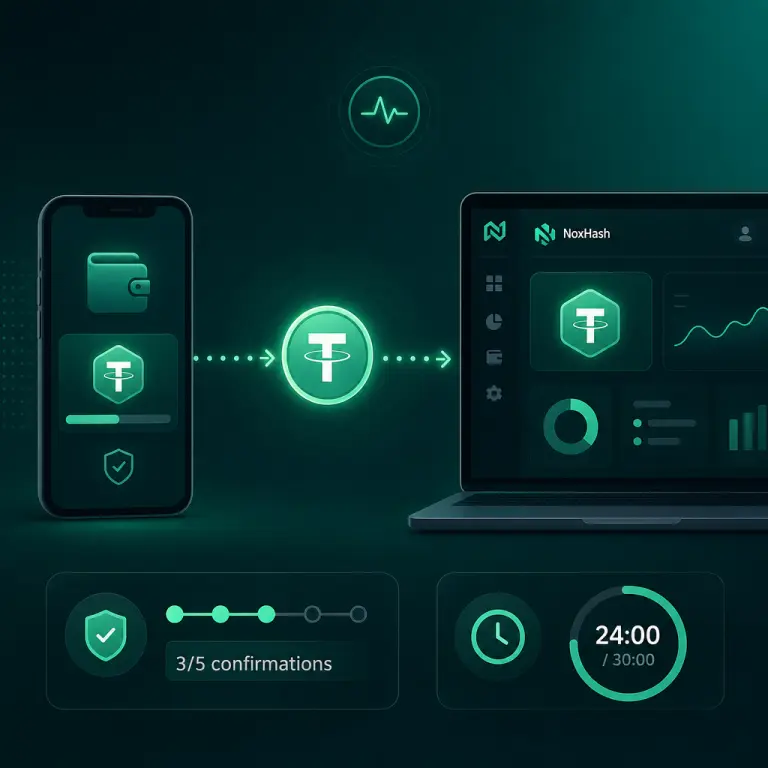
First, Is Your Deposit Actually Late?
Before diagnosing anything, check whether enough time has really passed. Most "missing" deposits aren't missing at all — they're in the normal confirmation window. NoxHash's auto-verifier only credits your balance after the transaction confirms on-chain and matches your deposit request. Each network has its own rhythm:
| Network | Typical block time | Confirmations needed | Expected credit time |
|---|---|---|---|
| TRC-20 (Tron) | ~3 seconds | 1-3 | ~3-5 minutes |
| BEP-20 (BSC) | ~3 seconds | 5-15 | ~15-45 seconds, up to a few minutes |
If fewer than 10 minutes have passed since you broadcast the transaction, wait. You're almost certainly still inside the normal confirmation window, even on a fast chain. Congested conditions can stretch that out to 15-30 minutes or longer. Don't open a ticket yet — don't send again either.
The 6-Step Diagnostic — Work Through These in Order
If the wait has gone past the expected window, don't guess. Run through these six checks in order. Most users find the answer by step 3 or 4 — no ticket required.
Confirm the transaction on-chain with a block explorer
Paste your TxID into the right explorer — Tronscan's block explorer for TRC-20, or BscScan for BEP-20. Look for Success / Confirmed status and count the confirmations. If it still says Pending or Unconfirmed, the network hasn't processed your transfer yet — skip to step 6.
Verify the receiving address matches exactly
On the explorer, look at the To field and compare it character-by-character with the address NoxHash showed on your Deposit page. Pay attention to the first 6 and last 6 characters — clipboard malware can swap full addresses but rarely matches those edges. If the address is off by a single character, the funds went somewhere else entirely.
Check the amount matches down to the cent
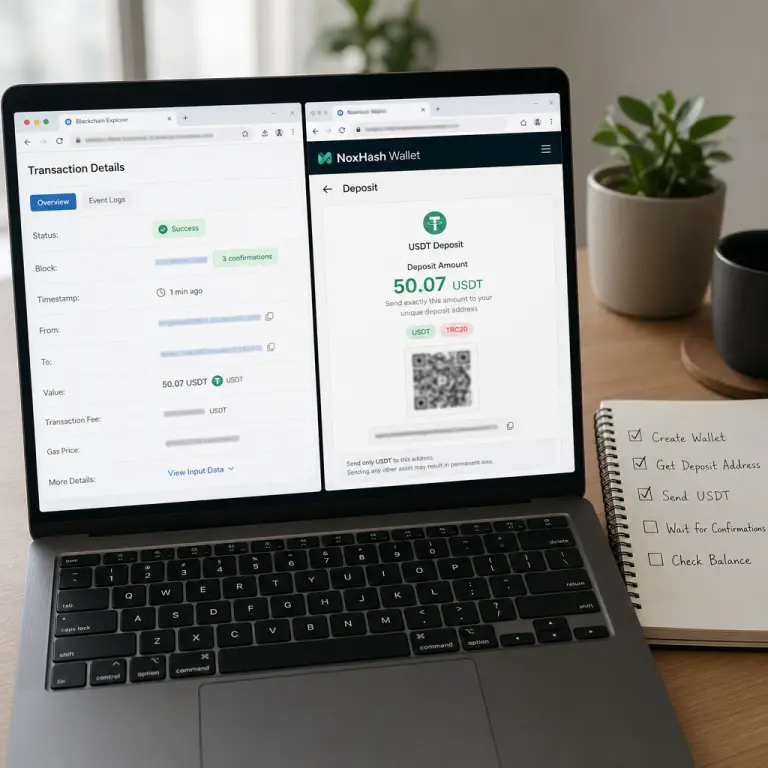
NoxHash generates a unique amount for every deposit request — for example 50.07 USDT rather than a round 50. Those trailing cents are the fingerprint the auto-verifier uses. If the explorer shows 50.00 or 50.10 instead of 50.07, the match key won't fire and your balance won't update automatically.
Verify you used the correct network
TRC-20 addresses start with T; BEP-20 starts with 0x. If NoxHash generated a TRC-20 address but your wallet shows the transaction on Binance Smart Chain (or vice versa), you've sent cross-network — a different and more serious problem. Stop and jump to the support card below. Do not send again.
Check whether the 30-minute window expired
Compare the block timestamp on the explorer with the timestamp of your deposit request on the Wallet page. If the transaction confirmed after your 30-minute window closed, the verifier ignored it even though everything else was correct. The funds are on-chain and recoverable, but you'll need a support ticket to credit them manually.
Rule out network congestion
If the explorer still shows Pending or zero confirmations after 30 minutes, the network itself is slow. This is rare on Tron but happens on BSC during airdrop or meme-coin frenzies. Don't cancel, don't speed-up, don't send again — wait for confirmation, then go to the support path because your original deposit window will have closed.
Decision Tree — What Your Diagnostic Result Means
Match the result of your 6-step check to one of the four outcomes below. Each has a different next action.
Everything checks out and it's under 10 minutes
Action: Wait. Refresh the Wallet page in 5 minutes. Auto-credit kicks in the moment the required confirmations land. No ticket needed.
Tx still Pending on the explorer
Action: Keep waiting — congestion resolves on its own. Don't cancel or bump the fee. Once it confirms, check the 30-minute window. If expired, file a ticket with your TxID.
Confirmed, correct network — but wrong amount or expired window
Action: The funds are safe and recoverable. Open a support ticket with your TxID, deposit reference, and actual amount sent. Manual reconciliation is routine for this case.
Wrong network, wrong address, or non-USDT token
Action: Don't send again. File a ticket immediately with the TxID and screenshots. Recoverability depends on the chain and is not guaranteed — ask support before taking any further action.
When to Contact Support — And What to Send
A good support ticket gets your deposit reconciled in one round-trip. A vague ticket leads to a week of back-and-forth. If your diagnostic landed on an outcome that requires manual help, include these four items in your first message:
- The transaction hash (TxID) — the full alphanumeric string, not a screenshot alone. Support needs to paste it into internal tools.
- The NoxHash deposit reference — visible on your Wallet → Transactions page. It tells support which deposit request to reconcile.
- A screenshot of the block explorer result — showing the address, amount, network, and confirmation status. This is your independent proof.
- A one-sentence summary of which diagnostic step failed — "amount was 50.00 instead of 50.07" or "confirmed 40 minutes after the window expired" is exactly the kind of context that shortens the ticket.
What not to do while waiting for a reply: send a second transaction to the same address, open duplicate tickets, or delete the expired deposit request from your Transactions page. Each of those makes reconciliation harder, not faster.
Your deposit's on-chain — here's what to do next
Whether you're still waiting on confirmations or ready to raise a manual ticket, the fix starts on the Wallet page. Sign in, locate the pending deposit, and apply the matching action from the decision tree above.
Frequently Asked Questions
How long should I wait before worrying about a deposit?
TRC-20 deposits typically credit within 3-5 minutes once the transaction broadcasts. BEP-20 is often faster but can lag during congestion. If more than 15-20 minutes have passed with no update, run the 6-step diagnostic. Under 10 minutes, just wait and refresh.
The block explorer shows the transaction as confirmed. Why is my balance still zero?
Auto-verification requires three matches at once — exact address, exact amount including cents, and confirmation inside the 30-minute window. If any one drifts, the verifier stays silent even though the USDT is on-chain. Continue the diagnostic at step 3 to find which match failed.
My transaction has been pending on the blockchain for an hour. What now?
Wait for confirmation. Cancelling or replacing with a higher fee risks a double-send, and the 30-minute deposit window has already closed anyway. Once the transaction finally confirms, file a support ticket with the TxID so the balance can be credited manually.
I sent the wrong amount — is my money lost?
No. Funds sent to the correct address on the correct network are safe on-chain — only the auto-match failed. Contact support with your TxID, the actual amount you sent, and the original deposit reference. Manual reconciliation resolves this case routinely.
Should I start a new deposit while waiting for the first one to clear?
Not until the first one is resolved. A second pending deposit complicates reconciliation and can lead to confused amounts. Wait until the original is either credited automatically or reconciled by support, then open a fresh request for any additional funds.
Can a typical deposit really take longer than 5 minutes?
Yes, during congestion. Major token launches or on-chain spikes can push TRC-20 beyond 10 minutes and stretch BEP-20 confirmations to 20-30 minutes or more. Always verify status on the block explorer before assuming something went wrong — the network itself is often the cause.
Not financial advice
This guide covers deposit troubleshooting only. Confirmation times, gas fees, and network behaviour change continuously with on-chain conditions and are outside NoxHash's control. Recoverability in any specific case depends on the underlying blockchain and cannot be guaranteed. Only commit funds you can afford to lose, and consider a local tax advisor for questions about crypto activity in your country.