Two-Factor Authentication Best Practices for All Your Crypto Accounts
The three types of 2FA and when to use which — TOTP apps, hardware security keys, and why SMS 2FA is dangerous for crypto. Plus recovery code best practices.
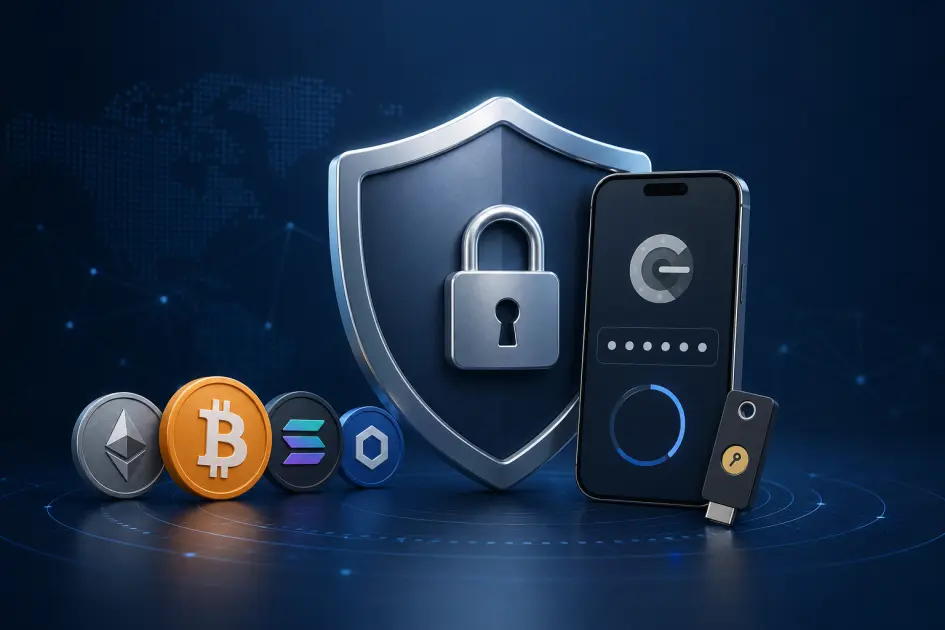
Two-factor authentication (2FA) protects a crypto account by requiring a second factor beyond your password — a code from an app, a tap on a hardware key, or (least safely) an SMS. For crypto, where a breach is irreversible, 2FA is not optional. The three types are SMS, TOTP apps, and hardware security keys — and the right choice depends on what the account protects.

Why 2FA matters more for crypto than anything else you do online
Passwords alone fail often. Credential leaks, password reuse across sites, and phishing pages that look identical to the real login — any one of them hands an attacker your password. For most online accounts that is recoverable. For crypto, it is not.
Once funds move on-chain, they are gone. There is no chargeback, no fraud department, no "reverse the transaction" button. A single successful login at an exchange or mining platform can drain a balance in minutes — withdrawal addresses replaced, API keys created, balances transferred out before you even see the login alert.
That irreversibility is why 2FA is non-negotiable for every account in your crypto stack: exchanges, cloud mining platforms like NoxHash, wallets with online components, and — most importantly — the email account that sits upstream of all of them. A second factor makes a stolen password almost useless on its own. The attacker also needs something you physically have, and that is materially harder to steal remotely.
The three types of 2FA — what they actually are
Every 2FA implementation falls into one of three categories. They are not equivalent. The difference between the worst and the best is the difference between "might slow an attacker down" and "phishing-resistant by design."
1. SMS codes
Codes sent by text message. Broken by SIM-swap attacks, where an attacker convinces your carrier to port your number to their SIM. Any crypto service that still offers SMS-only 2FA is a red flag.
2. TOTP (authenticator app)
A 6-digit code generated offline on your phone, rotating every 30 seconds. Phishable if a fake site asks for the code in real time, but immune to SIM-swapping. The standard for most crypto platforms, including NoxHash.
3. Hardware security key
A physical device (YubiKey, SoloKey) speaking the FIDO2/WebAuthn protocol. The browser verifies the real domain before the key will sign, which makes it phishing-resistant by design — even a perfect fake login page cannot trick it.
The shift from "code you type" to "device that cryptographically signs" is the real security jump. TOTP is far better than SMS, and hardware keys are far better than TOTP — but each step up adds setup cost and friction. The goal is not to pick one type for everything, it's to match the type to the account's value.
SMS vs TOTP vs hardware key — side by side
Here is how the three types compare on the attributes that actually decide security outcomes. The "winning" column for each row is highlighted.
| Attribute | SMS | TOTP app | Hardware key |
|---|---|---|---|
| SIM-swap resistant | No | Yes | Yes |
| Phishing resistant | No | Partial | Yes (by design) |
| Works offline | No (needs signal) | Yes | Yes |
| Setup complexity | Very low | Low (scan QR) | Medium (register per site) |
| Cost | Free | Free | ~$30–60 per key |
| Platform support (crypto) | Shrinking; some exchanges deprecating | Near-universal | Major exchanges only; check first |
| Device-loss recovery | Carrier re-issues SIM (slow) | Recovery codes or app backup | Backup key + recovery codes |
The practical takeaway: use TOTP as the default for every crypto account that supports it. Use a hardware key on top, or in place of TOTP, for the accounts with the largest balances — your email and your biggest exchange. Avoid SMS entirely, and if a service only offers SMS 2FA, treat that as a signal to keep very little value on it.
Choosing your TOTP app
Since TOTP will carry most of your 2FA, the app you pick matters. They all generate the same 6-digit codes, but they differ in how they handle backup, device migration, and what happens when you drop your phone in a lake.
Google Authenticator
The most widely used option. Recent versions added Google-account cloud sync, but older installs store secrets only on the device — lose the phone, lose everything unless you have recovery codes. Simple, familiar, fine for beginners.
Authy
Cloud-backed with multi-device sync. Convenient if you switch phones often, but the backup itself becomes an attack surface — if someone compromises your Authy account, they get every TOTP seed. Use a very strong backup password.
Aegis Authenticator (Android)
Open-source, encrypted local backup you control. You can export an encrypted vault file and store it wherever you want. Strong choice for Android users who want TOTP without trusting a cloud provider with their seeds.
2FAS (iOS and Android)
Open-source, cross-platform, with optional iCloud/Google Drive encrypted backup and a browser extension. A practical middle ground — less cloud-dependent than Authy, more portable than Aegis.
Our recommendation: if you are starting fresh and comfortable configuring apps, use Aegis (Android) or 2FAS (iOS) with encrypted local or cloud backups you control. If you want zero friction, Google Authenticator with its Google-account sync is fine — just be aware that the safety of your TOTP codes is now tied to your Google password. Whichever app you pick, the recovery codes are still the real safety net.
Recovery codes — the safety net for device loss
Every legitimate service that offers 2FA also gives you recovery codes at setup time. These are single-use strings you can enter in place of a 2FA code if you lose access to your phone or key. They are the only thing standing between "I broke my phone" and "I have permanently lost access to my account."
Treat recovery codes with the same care you would a wallet seed phrase — because the exposure is similar. Anyone with your recovery codes and your password can bypass 2FA entirely.
Save them the moment they are shown
Most services show recovery codes exactly once. Copy them to an offline location before you click "I have saved them" — not after. Screenshots in your phone's camera roll are a poor choice because the roll usually syncs to a cloud.
Print and store physically
Paper in a fireproof box or a safe. Some people keep recovery codes alongside their hardware wallet's seed backup since both protect crypto assets. Two locations is better than one, in case of fire or flood.
Do not put them next to your password
The whole point of 2FA is that one compromise should not be enough. Storing recovery codes in the same password vault, same cloud folder, or same notes app as your password collapses your security back to a single factor.
Regenerate when you use most of them
NoxHash, for example, issues 8 recovery codes per account, each usable once. Once you have used 5 or 6, regenerate a fresh set in account settings. Never reuse an already-used code, and invalidate the old set if you suspect it was ever exposed.
Put the 2FA playbook into practice on a real account
NoxHash supports TOTP apps (Google Authenticator, Authy, Aegis, 2FAS) and issues 8 one-time recovery codes at setup — the exact pattern this article recommends. Enable it on day one, before your balance grows.
Hardware security keys for your highest-value accounts
For casual accounts, TOTP is enough. For the accounts where a breach could cost you real money — your primary email, a major exchange with meaningful balance, your Google or Apple ID, a large cloud mining stack — consider adding a hardware security key.
A YubiKey or SoloKey costs roughly $30–60 once, lasts years, and works across every site that supports FIDO2/WebAuthn. The critical property is phishing resistance: the key only signs a login request if the browser is pointed at the real domain it was registered for. A perfect-looking phishing site on a lookalike domain will simply fail — the key refuses, quietly and automatically. TOTP cannot do that, because the user types the code into whatever page asked.
A few practical notes before buying:
- Buy two. One primary, one backup in a separate physical location. If you lose the only key and also lose your recovery codes, you are locked out.
- Register both on every site. Do not wait until you lose the primary. The backup only helps if it is already enrolled.
- Check crypto-platform support before relying on it. Exchange support for hardware keys is improving but inconsistent. Some big names support them, some do not. Search the platform's help center for "security key" or "WebAuthn" before assuming.
- Protect email first. Your email is upstream of every password reset on every other account. A hardware key on email is arguably more valuable than one on any single exchange.
Common 2FA mistakes that quietly break the whole thing
Same phone for 2FA and password-reset email
If your only email app lives on the same device as your authenticator app, one stolen or compromised phone breaks everything — password reset flows back to that email, and the 2FA code is right there too.
Recovery codes in the same vault as passwords
A password manager that holds both your login and the matching recovery codes is effectively a single factor. Store codes offline, in a separate trust domain from the password itself.
Leaving SMS on as a fallback "just in case"
If an exchange lets you use TOTP but keeps SMS enabled as a backup, an attacker can downgrade to SMS and SIM-swap you. Disable SMS 2FA where the platform allows — your security is as strong as the weakest enabled factor.
Skipping 2FA on the email account itself
Most crypto users protect exchanges carefully and leave email wide open. Every password reset on every site flows through email. If email is unprotected, nothing downstream is really protected either — start there first.
Each of these mistakes is a form of the same failure: collapsing multiple factors into a single point of compromise. The fix in every case is physical or logical separation — different devices, different storage, different trust domains — so that compromising one piece does not hand over the others.
Frequently asked questions
Is SMS 2FA ever acceptable for a crypto account?
Only as an absolute last resort, on an account you treat as disposable. SMS 2FA is breakable by SIM-swap attacks, which are well-documented against high-value crypto targets. If a platform offers only SMS, keep minimal value there or pick a competitor.
What happens if I lose my phone?
Use a recovery code to log in to each account, then disable 2FA and re-enable it with your new device's authenticator. If your app had an encrypted cloud backup (Authy, 2FAS), you can restore the full seed list on the new phone instead of re-enrolling every site manually.
Can I move 2FA to a new phone without recovery codes?
Yes, if you still have the old phone. Before wiping it, log in to each account on the new phone, disable 2FA, and re-enable it by scanning the new QR code. Apps with cloud backup can migrate the full set in one step. Without the old phone or codes, you are locked out.
Does a hardware key replace my password?
On most crypto platforms today, no — it is a second factor on top of the password, same as TOTP. Some services support passkeys (password-less sign-in), but adoption is still patchy in crypto. Treat the hardware key as a stronger second factor, not a password replacement.
Do I need 2FA on a cold hardware wallet?
A hardware wallet already acts as its own second factor — the physical device must confirm transactions. The PIN plus seed phrase is what protects it. "2FA" in the online-account sense does not apply. Focus your 2FA energy on the exchanges, wallets, and platforms with online login forms.
Should I use the same TOTP app for all my crypto accounts?
Yes — one well-configured app is easier to secure than several. The app itself is not the weak link; the weak link is device loss or a compromised backup. Pick one trusted TOTP app, enable its encrypted backup, and keep recovery codes offline for every site separately.
Is it safe to screenshot the QR code during 2FA setup?
Only if you store the screenshot offline and encrypted. A QR code is the raw TOTP seed — anyone who scans it gets a working authenticator for your account forever. Most camera rolls sync to a cloud, which means that screenshot is effectively in someone else's data center. Prefer recovery codes instead.
Apply this 2FA playbook to a platform that supports it properly
NoxHash uses TOTP 2FA (not SMS) and hands you 8 recovery codes at setup — exactly the "TOTP plus offline recovery codes" pattern this guide recommends as the crypto baseline.
Educational content only — not security or investment advice
This article describes general 2FA concepts and common best practices. It is not personalized security advice. Threat models differ; a setup that is adequate for one user may be insufficient for another. Crypto investment carries market, regulatory, and technical risk — 2FA reduces one class of risk (account compromise) but does not eliminate others. Always review the specific security documentation of each platform you use, and only invest amounts you can afford to lose.