What to Do If Your NoxHash Deposit Expires or Fails
Deposit stuck, expired, wrong network, or off by cents? Diagnose the failure, recover funds when possible, and prevent it on the next try.
A NoxHash deposit can fail for five reasons: wrong amount, expired 30-minute window, network congestion, wrong network, or non-USDT token. Most cases are recoverable if you keep the transaction hash (TxID) and contact support. Wrong-network transfers are the riskiest — often unrecoverable by blockchain rules.
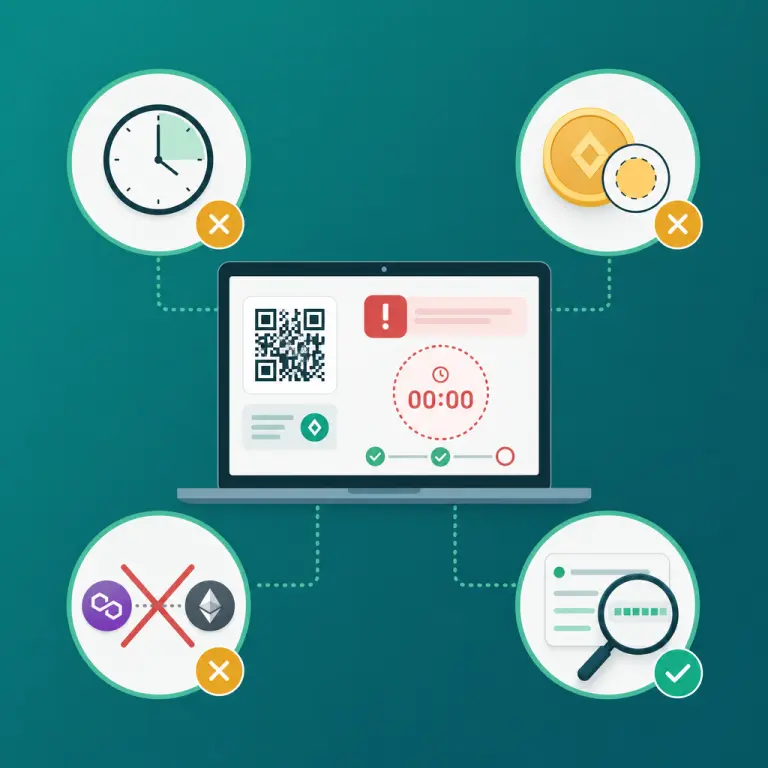
Why NoxHash Deposits Fail — The Short Version
NoxHash uses an automated verifier that watches the blockchain for a transaction matching your address + your unique amount within the 30-minute window. When any of those three variables — address, exact amount, or timing — drifts, the verifier stays silent and your balance doesn't move. The USDT itself is usually still on-chain; the system just can't match it to your account automatically.
Understanding this is the key to recovery. Most failed deposits are not lost deposits — they are unmatched deposits waiting for manual reconciliation. The one major exception is wrong-network transfers, which we cover in detail below.
On-chain, not lost
Wrong amount or expired window — the USDT is still on the correct chain and can almost always be reconciled manually.
Wrong network is different
Sending BEP-20 to a TRC-20 address (or vice versa) is a different category of error — frequently unrecoverable per blockchain rules.
TxID is your lifeline
Every recovery path starts with the transaction hash. Copy it from your wallet or exchange the moment the transaction broadcasts.
The 5 Failure Modes — Symptoms, Cause, and Recoverability
Scan this table first. Identify the row that matches what you're seeing on the dashboard or in your wallet, then jump to the matching recovery steps below. Each failure mode has a different playbook, and sending again without diagnosing first is how small problems become bigger ones.
| Failure mode | What you'll see | Recoverability |
|---|---|---|
| Wrong amount (missed cents) | TxID confirmed on-chain; deposit still Pending or Expired on NoxHash | High — manual reconciliation |
| 30-minute window expired | Countdown hit zero; deposit marked Expired; TxID confirmed late | High — manual reconciliation |
| Network congestion delayed tx | Transaction still Pending on explorer past the 30-minute mark | High — manual reconciliation once it confirms |
| Wrong network (TRC-20 vs BEP-20) | TxID exists on one chain; NoxHash address is for the other | Low — often unrecoverable |
| Non-USDT token sent | TxID shows a different asset (BTC, ETH, TRX, BNB, random token) | Low — usually unrecoverable |
You can verify what actually hit the blockchain with a public explorer — for TRC-20 transactions, Tronscan's block explorer shows the asset, amount, receiving address, and confirmation status for any Tron TxID. That evidence is what support needs to reconcile a failed deposit.
Decision Tree — Find Your Recovery Path
Walk through the questions below in order. Stop at the first one that matches your situation and follow the recovery action on that step.
Have you actually broadcast a transaction yet?
If the 30-minute window expired but you never hit send, there's nothing to recover. Close the deposit screen, open a new deposit request, and you'll receive a fresh unique amount and a fresh 30-minute timer. No support ticket needed.
Did you send on the same network NoxHash generated?
Check the address format: TRC-20 addresses start with T, BEP-20 addresses start with 0x. If the deposit address starts with T but your wallet shows a BEP-20 transaction, you're in the wrong-network scenario — stop and jump to section below. Do not send again.
Did you send USDT specifically, not another token?
On the block explorer, confirm the asset field reads USDT (not TRX, BNB, USDC, or anything else). Sending a non-USDT asset to a NoxHash deposit address is usually unrecoverable — the address is monitored only for USDT transfers, and most platforms cannot credit alternate tokens.
Is the transaction still pending on the blockchain?
If the explorer shows Unconfirmed or Pending, congestion is likely the cause. Wait — don't cancel and don't replace. Once it finally confirms, whether that's 10 minutes or 2 hours later, contact support with the TxID and the expired deposit reference so they can credit the balance manually.
Confirmed USDT, correct network, wrong amount or expired?
This is the straightforward recovery case. Open a support ticket with three data points: the TxID, the NoxHash deposit reference number from your Transactions page, and the actual USDT amount you sent. Support can match the on-chain record to your account and credit the balance within the normal response window.
The Wrong-Network Scenario — Read This Carefully
If you sent USDT on BEP-20 to a TRC-20 address that NoxHash generated (or the reverse), pause before doing anything else. This is the single most common way users lose funds on any cloud mining or exchange platform — not just NoxHash — and the reason is baked into blockchain cryptography, not a platform choice.
Wrong-network transfers are typically unrecoverable
A TRC-20 address and a BEP-20 address look similar in format but live on entirely different blockchains. The private key that controls the TRC-20 address does not — and mathematically cannot — sign a transaction on Binance Smart Chain, and vice versa. If NoxHash does not operate a wallet on the chain you sent to, there is no way for anyone to move those funds. This is a rule of the underlying cryptography, not a policy choice.
What to do anyway: open a support ticket with your TxID, screenshots of your wallet or exchange withdrawal screen, and the original deposit reference. In a small minority of cases — when both networks happen to resolve to an address the platform controls — manual recovery is possible. Don't assume; ask. What you should not do is send more funds to the same address hoping to "top it up" — that just adds another wrong-network transaction to the pile.
Ready to retry your deposit the right way?
Now that you can diagnose every failure mode, head back to your Wallet page, open a fresh deposit request, and apply the prevention checklist below. The auto-verifier will do the rest.
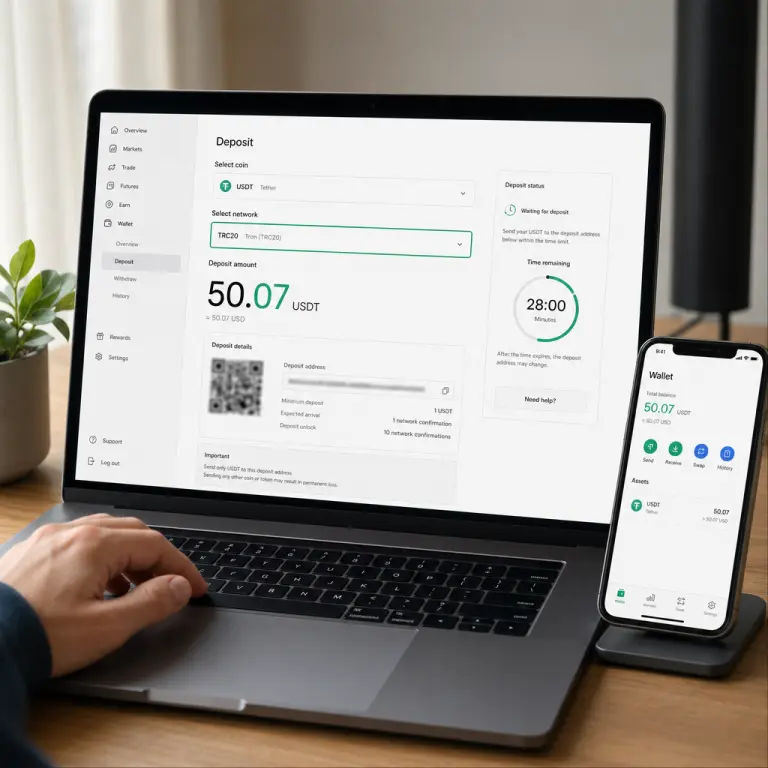
Prevention — Four Habits That Prevent Almost Every Failure
Every deposit failure above traces back to a habit you can build in about sixty seconds. Adopt these four and your next deposits should credit automatically within the normal 5 to 15 minute confirmation window.
Match the network on both ends
Pick TRC-20 or BEP-20 on NoxHash, then verify the same network on your exchange or wallet's withdrawal screen before you click send. Addresses starting with T are Tron; 0x is BSC.
Copy-paste the exact amount, cents and all
If NoxHash shows 50.07, paste 50.07 — not 50, not 50.10. The cent suffix is the fingerprint the auto-verifier uses to match the transaction to your account.
Start the deposit request only when you're ready
Log into your exchange, confirm the USDT balance, and check the network toggle before clicking Deposit on NoxHash. The 30-minute timer starts the moment you submit — don't burn 20 minutes hunting for your 2FA code.
Always save the TxID
The moment your wallet broadcasts the transaction, copy the TxID into a note. If anything goes wrong, it's the one piece of data that lets support reconcile the deposit. Lose the TxID and recovery becomes dramatically harder.
Frequently Asked Questions
My deposit says Expired — did I lose my money?
Usually no. If you never broadcast a transaction, just open a fresh deposit request. If you did send USDT on the correct network and it confirmed on-chain, the funds are recoverable — contact support with your TxID and the expired deposit reference, and they can reconcile the balance manually.
I sent USDT on BEP-20 to a TRC-20 address. Can I get it back?
Usually not. The private key controlling a Tron address cannot sign transactions on Binance Smart Chain, which is a fundamental rule of blockchain cryptography. Contact support with your TxID — in a minority of cases recovery is possible — but assume the funds may be unrecoverable and do not send again.
I sent a round number instead of the unique amount. What now?
The auto-verifier won't fire because the cent suffix is the match key. The USDT did arrive on-chain at the correct address, so the funds are not lost. Open a support ticket with your TxID, the amount you actually sent, and the deposit reference, and support can reconcile it manually.
My transaction is still pending on the blockchain. Should I speed it up or cancel?
Wait. Don't cancel, don't replace with a higher fee, and don't send again. Network congestion eventually clears, and the transaction will confirm at its original fee. When it does, contact support with the TxID and the expired deposit reference for manual crediting.
Where do I find my transaction hash (TxID)?
Every exchange and wallet shows the TxID in the withdrawal or transaction history shortly after you send. It's a long alphanumeric string, sometimes labeled "Transaction ID", "Hash", or "TxHash". Copy the whole string. You can also paste it into a public block explorer to verify status and asset type independently.
Can I just start a new deposit request and ignore the failed one?
Only if you never actually sent funds on the failed request. If USDT moved on-chain, ignoring the failed deposit leaves real money unreconciled. Always file a ticket with the TxID first, then start a fresh request for any additional funds you want to deposit after.
Not financial advice
This guide covers deposit troubleshooting only. Recoverability in any specific case depends on the underlying blockchain and cannot be guaranteed — especially for wrong-network or non-USDT transfers, which are governed by cryptography rather than platform policy. Network fees and confirmation times are approximate and change with on-chain conditions. Only commit funds you can afford to lose, and consider a local tax advisor for questions about crypto earnings in your country.