How to Protect Yourself from Crypto Phishing Attacks
Crypto phishing goes beyond fake login pages — Unicode domain tricks, fake hardware wallet updates, approval-drainers, and the 5 habits that defeat them all.
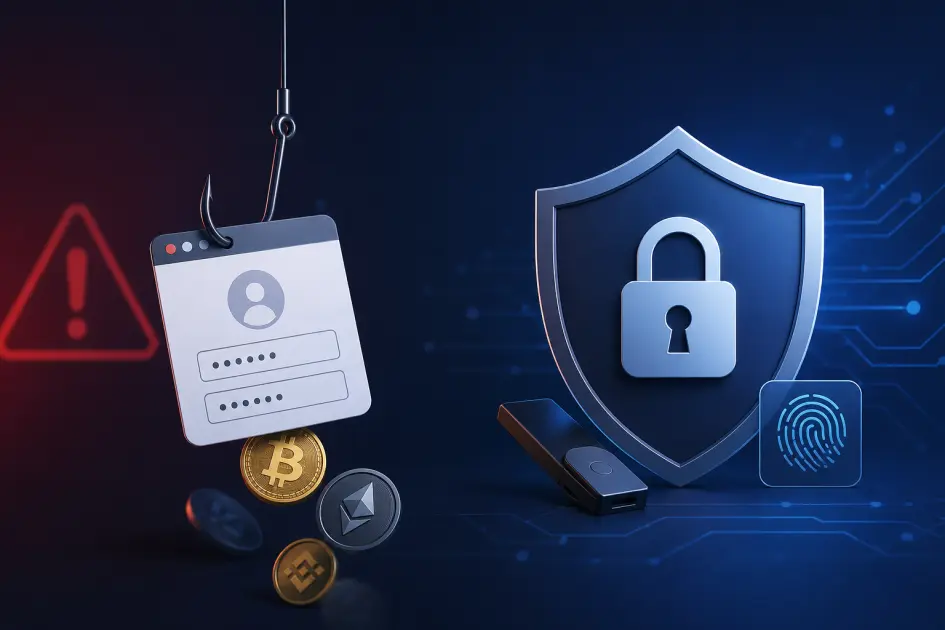
Crypto phishing is the number-one cause of self-custody losses — bigger than exchange hacks, bigger than protocol exploits. Attackers do not need to break cryptography; they only need you to sign one malicious transaction or paste one seed phrase. This playbook covers the five phishing patterns unique to crypto and the five habits that defeat nearly all of them.

Why crypto phishing works so well
Phishing works in every industry, but crypto amplifies every weakness. Blockchain transactions are irreversible — there is no chargeback, no fraud department, no wire-recall window. Once a signature leaves your wallet, the funds are gone in seconds.
Attackers only need one mistake from you. You can defend your seed phrase perfectly for five years, then lose everything in one tired Sunday evening by pasting it into a convincing fake Ledger "security check" page. Unlike a stolen credit card, there is no institution to call.
The asymmetry is brutal. A phishing kit costs a few hundred dollars and can be blasted to millions of inboxes; the attacker needs a hit rate of 0.001% to be profitable. Industry trackers such as Chainalysis and Scam Sniffer consistently rank phishing and wallet drainers as the largest single category of self-custody losses — ahead of exchange breaches and smart-contract exploits combined. Treat every unexpected message about your wallet, hardware device, or crypto account as hostile until proven otherwise.
The 5 phishing patterns unique to crypto
Generic "don't click suspicious links" advice does not cover the shapes phishing takes in crypto. These are the five patterns you actually encounter in 2026, and what each one looks like up close.
1. Unicode IDN domain spoofing
The domain reads lеdger.com — but the "e" is a Cyrillic U+0435, not the Latin "e". Your eye cannot tell. Your browser treats it as a completely different site with its own TLS certificate.
2. Fake firmware update emails
"Urgent: your Ledger/Trezor requires an immediate firmware update to remain secure." The link opens a near-pixel-perfect clone that asks you to type your 24-word recovery phrase "to verify device integrity". No legitimate firmware flow ever asks for this.
3. Approval-drainer phishing
"Claim your airdrop — connect wallet." What looks like a harmless connection is actually a setApprovalForAll or infinite-allowance transaction. Sign it once and the drainer contract can empty every token in the approved collection at will.
4. Clone wallet apps in stores
Fake "MetaMask", "Phantom", "Trust Wallet" extensions slip past store review with bought five-star reviews and genuine-looking screenshots. The app works — it just quietly exfiltrates your seed phrase the moment you import or create a wallet.
5. Fake support / exchange emails
"NoxHash/Binance/Coinbase Support: please verify your seed phrase or 2FA to unlock your account." No real service — exchange, custodian, or cloud mining platform — ever asks for a seed phrase. Ever. The message itself is proof of phishing.
Email phishing — detailed defense
Email is still the single largest delivery channel for crypto phishing. Before you click anything inside a crypto-related email, run through these checks — they take ten seconds and catch most attacks.
- Check the full sender address, not the display name.
Ledger Support <[email protected]>is not Ledger. Expand the header. - Hover every link without clicking. Your mail client shows the real destination in the status bar. If it does not match the sender's real domain, stop.
- Never click wallet, exchange, or NoxHash links from an email. Type the URL directly, or use a bookmark you made yourself. Even a "correct-looking" link may redirect through an attacker-controlled URL shortener.
- Be extra suspicious of urgency. "Account will be closed in 24 hours", "firmware update required immediately", "suspicious login from Russia" — urgency is the single most reliable phishing indicator.
- Enable strong email 2FA. A compromised email is often step one before the attacker pivots to your exchange accounts. TOTP or a hardware key on the email account is non-negotiable.
A useful mental rule: treat every unsolicited crypto email as phishing until you personally prove otherwise. The cost of being paranoid is five seconds; the cost of being wrong is your balance.
Web phishing — detailed defense
Once you click a bad link, you are on the attacker's turf. The browser is the last line of defense, and most of the work happens before you ever type a password or connect a wallet.
- Bookmark every crypto URL you use. Your exchange, your wallet extension's "support" page, NoxHash, block explorers — bookmark them once, from a verified source, and never reach them any other way. Search engines are a phishing vector; paid ads for "metamask" and "ledger.com" routinely point to clone sites.
- Enable browser phishing protection. Chrome's Enhanced Safe Browsing, Firefox's Phishing Protection, Brave Shields — turn them all the way up. They block millions of known phishing domains.
- Install an anti-phishing extension. Scam Sniffer, Pocket Universe, and Wallet Guard inspect the transactions a site is about to ask you to sign and flag known drainer contracts in real time. This is the single highest-ROI security tool for DeFi users.
- Verify the certificate on important sites. Click the lock icon. The certificate's subject should match the expected company. HTTPS alone means nothing — an attacker's clone site has a perfectly valid certificate for its domain.
- Use a dedicated browser profile for crypto. No other extensions, no logged-in Google account, no browsing history contaminating the session. A separate profile is free and cuts attack surface dramatically.
Hardware wallet phishing — detailed defense
Hardware wallets are the gold standard for self-custody, but they are not phishing-proof on their own. Most hardware wallet losses are not caused by physical device compromise — they are caused by the owner being tricked into typing the recovery phrase somewhere.
The only rule that matters
Your 12- or 24-word recovery phrase exists on paper or metal only. It never belongs in any app, screen, form, email, website, chat, or cloud note — not even for a "security check", "migration", or "firmware update". If anything, anywhere, asks you to type it, it is an attack. Full stop.
Beyond that rule, three habits protect you from every realistic hardware-wallet phishing scenario:
- Firmware updates come only from the official companion app (Ledger Live, Trezor Suite, Keystone app). Never from an email link, never from a banner on a random website, never from a "download update" notification on a third-party site.
- Verify every receive address on the physical device screen. Clipboard-swap malware is real: your computer shows your address, but the malware changes what actually gets pasted. The device screen cannot be modified by the host.
- Verify every send transaction on the device screen too. Amount, recipient, and (for EVM chains) the contract being called. If the device shows something different from the website, the website is lying.
The 5 habits that defeat most phishing
You do not need perfect vigilance. You need a handful of repeatable defaults that make the attacker's job structurally impossible. These five habits, practiced consistently, neutralize the vast majority of attacks above.
1. Bookmark, don't search
Never reach an exchange, wallet, or NoxHash through a Google search or paid ad. Bookmark every crypto URL once, from a known-good source, and treat that bookmark as the only correct entry point.
2. Assume every email is phishing
Treat every unsolicited message about your wallet, hardware device, exchange, or cloud mining account as hostile until you personally verify it through your bookmarked URL. The default answer is "do not click".
3. Never paste a seed phrase
Your recovery phrase lives on paper or metal. Period. Nothing on a screen — no app, form, email, or support agent — is ever an acceptable place to type it. If you are being asked, you are being attacked.
4. Verify on the device
Every receive address and every signed transaction must match what the hardware wallet's physical screen shows. Malware can lie about everything on your computer; it cannot reach inside the device.
5. Slow down — urgency is a red flag
Every phishing attack tries to pressure you: "act now", "24 hours", "limited slots", "account will be frozen". Real companies do not operate that way. When you feel urgency, step away for thirty minutes — most attacks die the moment you stop and think. Bonus habit: use a dedicated email address for crypto accounts only, so any non-crypto noise never mixes with phishing lures.
Reach NoxHash via your bookmark — never an email link
Put the first habit into practice right now: open the NoxHash homepage directly in a new tab, sign up, and save the page as a bookmark. From this moment on, that bookmark is the only way you should ever visit NoxHash — no email links, no Google ads, no DMs.
What to do if you got phished
If you just signed something you should not have, or typed something where you should not have, speed matters — but so does getting the sequence right. Work top to bottom.
Disconnect and revoke — within minutes
In your wallet, disconnect every DApp immediately. Then use a revocation tool (Revoke.cash, Etherscan's Token Approvals page) to revoke any suspicious token approvals. If a drainer approval has been signed but not yet executed, revoking first can save your funds.
Move remaining funds if the seed is compromised
If you typed your seed phrase into anything, that wallet must be considered burned permanently. Generate a brand-new wallet (ideally on a fresh hardware device), then move any remaining assets to the new wallet. Never reuse the compromised seed.
Lock down related accounts
Change the password on the email tied to your crypto accounts, rotate 2FA on every exchange and custodial service, and review recent login activity. Attackers often pivot from one compromise to the next within hours.
Report and document
Report to any exchange that received the stolen funds (transaction IDs help them freeze), file a report with IC3 in the US or your local cybercrime authority, and screenshot everything. Documentation also supports a capital-loss claim at tax time.
Trace on-chain for closure (optional)
Tools like mempool.space (BTC) let you follow where the funds went. Recovery is rare, but documented on-chain trails do occasionally result in seizures when stolen funds hit regulated exchanges.
Frequently asked questions
How can I tell a real Ledger or Trezor email?
You cannot reliably, and you should not try. Legitimate emails never ask you to enter a recovery phrase, never push urgent firmware updates via a link, and never link directly to a login page. Treat every hardware wallet email as informational only, and complete any action through the official companion app instead.
What is an approval drainer, exactly?
It is a smart contract that tricks you into signing a token approval — often unlimited — for the attacker's address. The transaction looks harmless ("connect wallet", "claim reward"), but afterward the drainer can move your tokens at will, even hours or days later, without asking again.
Is HTTPS (the lock icon) enough to trust a site?
No. HTTPS only proves the traffic between you and that specific domain is encrypted. It says nothing about whether the domain is the real one. Every phishing site has a valid certificate for its own lookalike domain. Check the domain name itself, character by character, not the lock.
What if I already typed my seed phrase into a fake site?
Assume that wallet is permanently compromised. Generate a brand-new wallet on a freshly initialized device, move all remaining funds immediately, and never send anything back to the old addresses. Attackers often wait days or weeks before draining, hoping you forget.
Can a browser extension really protect me?
Tools like Scam Sniffer, Pocket Universe, and Wallet Guard maintain live databases of drainer contracts and flag known phishing domains before you sign. They are not perfect, but they catch the majority of common attacks. Pair them with bookmarks and seed discipline for defense-in-depth.
Does NoxHash ever ask for my seed phrase or 2FA code by email?
Never. NoxHash never requests your seed phrase, recovery codes, current 2FA code, or password by email, chat, or phone. Any message claiming otherwise is phishing. When in doubt, close the message and reach NoxHash only via your bookmarked homepage to check your account directly.
Educational content — not financial or legal advice
This article describes general defensive practices against crypto phishing. It is not financial, legal, or security-audit advice. The threat landscape changes quickly — treat any specific tool or technique named here as a starting point, verify it independently, and consult a qualified security professional for high-value situations. Crypto holdings carry market, regulatory, and operational risk; only hold amounts you are prepared to lose.