How to Read CGMiner Output — Understanding Your Mining Terminal
Decode every line of your CGMiner terminal: accepted shares, diff, worker ID, hashrate, temperature, HW error rate — with annotated samples from a real NoxHash miner.
CGMiner output is the live terminal log your ASIC prints while it works — every accepted share, hashrate reading, chip temperature, and pool message scrolls past in real time. When you open View Desktop on a NoxHash miner, you are watching this stream directly. This guide decodes every field so the terminal stops looking like static.

What CGMiner Actually Is
CGMiner is the open-source mining software that talks to your ASIC chips, submits work to the pool, and prints a running log of everything it does. It has been the industry standard since 2011 and is still the software that most modern Antminer S21 and WhatsMiner M60/M66 units run in production. Every NoxHash miner uses it.
The log you see scrolling in View Desktop is not a simulation or a prettified dashboard. It is the same raw output a hobbyist reads on their own ASIC at home. If you want to dig deeper into the software itself, the canonical reference is the CGMiner source repository on GitHub, which still documents the flags and log format the community relies on.
Talks to the ASIC chips
Feeds each chip work units, reads results, and reports hashrate and temperature back to the terminal every few seconds.
Talks to the pool
Submits finished work (shares) to an FPPS pool using the Stratum protocol, then prints whether the pool accepted it.
Prints everything
Every share, every hashrate reading, every pool reconnect, every hardware error — all timestamped in a single scrolling log.
Anatomy of an Accepted Share Line
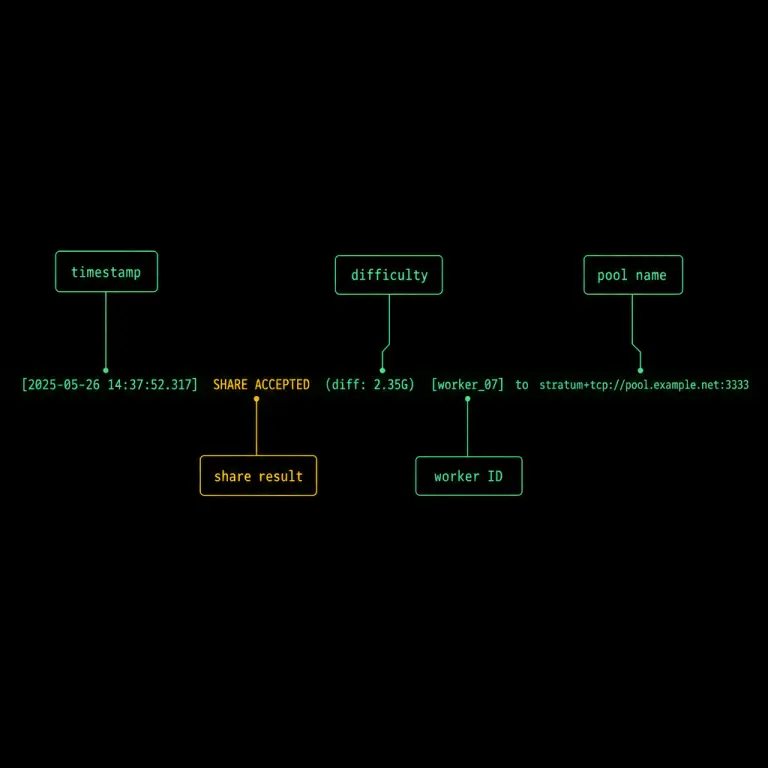
The single most common line you will see is an accepted share. On a NoxHash Pro Miner that fires roughly every second or two. Here is a representative sample — the kind of line you will find scrolling past in View Desktop:
[2026-04-23 10:15:32] Accepted abcd1f2e3... Worker:username123 Diff 16384/16384 Pool:FoundryUSA
Each field has a specific meaning. Once you know what they encode, you can read any CGMiner log in seconds:
[2026-04-23 10:15:32] — Timestamp
When the event happened, in the data center's local time. Useful for correlating a drop on your dashboard chart with something specific in the log.
Accepted — Share result
The pool confirmed this piece of work was valid and credited it to your worker. Every accepted share is a tiny payout in progress. Rejected and Stale also appear here.
abcd1f2e3... — Share hash
A short prefix of the share's hash used as a log identifier. You can usually ignore it — it only matters if you are debugging a specific submission with pool support.
Worker:username123 — Worker ID
The pool login tied to this miner. NoxHash assigns a dedicated worker per machine so earnings are credited to the correct user without any manual setup on your side.
Diff 16384/16384 — Share difficulty
The difficulty target this share met, versus the target the pool set. Higher is harder. Modern pools auto-tune diff to your hashrate — a Pro tier might see 16,384, an Enterprise tier much higher.
Pool:FoundryUSA — Active pool
Which mining pool received the share. NoxHash runs dual-pool failover, so this field can change mid-session if Pool 0 drops and Pool 1 takes over — a healthy, invisible event.
Share difficulty is often the most confusing field. A quick analogy: diff is like the number of lottery tickets you have to buy to count as "a submission". A diff of 16,384 means your share represents the equivalent of solving a puzzle 16,384 times harder than the base Bitcoin target. Your pool bundles many of those shares together to credit your earnings proportionally.
Reading the Hashrate and Temperature Lines
In between share lines, CGMiner prints periodic status updates from the ASIC itself. These are the lines that confirm the hardware is working as advertised:
[ASIC 0] 200.3 TH/s   Temp: 68°C   HW: 0%
[ASIC 1] 199.8 TH/s   Temp: 71°C   HW: 0.01%
[ASIC 2] 200.1 TH/s   Temp: 69°C   HW: 0%
Hashrate per chip (200.3 TH/s)
Each hash board on a modern ASIC is reported separately. Add them up and you should land within a few percent of your plan's headline number — 50, 150, 350, or 1,000 TH/s on NoxHash's four tiers. Short dips are normal; a full chip collapsing to 0 TH/s is not.
Chip temperature (68°C)
Healthy modern ASIC chips run between roughly 55°C and 80°C under full load. Above 85°C the chip will throttle itself, and above 90°C it may shut down for safety. NoxHash's Kazakhstan data center, with outdoor air often below 0°C, keeps these numbers comfortable year-round.
HW error rate (0% / 0.01%)
HW is the percentage of hashes the chip produced that failed an internal integrity check. On a healthy miner it sits at 0% to 0.1%. Anything consistently above 1% to 2% is a signal that chip is running too hot, undervolted, or physically degrading — and a cue for the on-site team to investigate.
Put this guide next to a live CGMiner window
You now know every field on a share line and every column on a hashrate line. The fastest way to cement it is the free 2-day Basic Miner — open View Desktop on it and you will spot each of these lines inside a minute.
Healthy Output vs Warning Signs
Most of the terminal is reassuring repetition. The trick is noticing the handful of patterns that actually matter. This side-by-side covers the lines users ask about most often:
| Signal | Healthy | Investigate |
|---|---|---|
| Accepted counter | Ticks up every 1–3 seconds | Frozen for 60+ seconds |
| Rejected / stale rate | Well under 1% of Accepted | Sustained 2%+ for many minutes |
| Total hashrate | Within ~5% of plan target | Sustained drop of 20%+ |
| Chip temperature | 55°C to 80°C | Above 85°C (throttling risk) |
| HW error rate | 0% to 0.1% | Above 1–2% (thermal or silicon) |
| Pool status | Pool 0: alive | Repeated reconnecting lines |
One caveat: NoxHash's 24/7 on-site team monitors all of these signals automatically. When you spot something in the "Investigate" column, it is almost always already being worked on. View Desktop is a transparency tool, not a support ticket — but if a line genuinely concerns you, reach out and the team will walk through the log with you.
Four Tips for Reading Logs Without Getting Overwhelmed
The terminal moves fast. These habits help you read a few seconds of output and know whether everything is fine, without staring at the screen for an hour.
Watch Accepted, not share hashes
The hex strings are noise. What matters is that lines starting with Accepted keep appearing. If they do, your worker is earning.
Sum the chip hashrates
Add up the per-chip TH/s numbers and compare to your plan. Small variance is normal; a full chip at 0 is not.
Treat HW above 1% as a flag
A sustained HW error rate over 1–2% almost always traces back to thermal stress. The data center team catches this before you do, but it is worth knowing.
Do not tail logs for hours
A 30-second check per day is plenty. The dashboard summarises what the log shows, and automated monitoring alerts the team long before a human scrolling terminal output would.
Frequently Asked Questions
What does "Diff 16384" actually mean on a share line?
It is the share's difficulty target. A diff of 16,384 means the share is 16,384 times harder than Bitcoin's base share target. Pools auto-tune this number per worker so that fast miners submit fewer, heavier shares instead of drowning the pool in low-value ones.
Are rejected or stale shares a problem on my miner?
A small percentage — well under 1% of Accepted — is normal on every ASIC. Stale shares happen when a block is already solved before your share arrives at the pool. Sustained 2%+ rejection for many minutes is worth investigating and usually points to a network or pool glitch.
What chip temperature is safe for a Bitcoin ASIC?
Most modern ASIC chips, including the Antminer S21 and WhatsMiner M60/M66 series, are specified to run safely from roughly 55°C to 80°C under full load. Above 85°C the firmware begins to throttle the clock, and above 90°C the miner may shut down to protect the silicon.
What is the HW column and when should I worry about it?
HW is the percentage of hashes that failed CGMiner's internal integrity check. On a healthy miner it sits at 0% to 0.1%. Anything consistently above 1% to 2% signals thermal stress, undervolting, or silicon wearing out — our on-site team investigates as soon as that threshold is crossed.
Why does my terminal sometimes show a different pool name?
NoxHash configures dual-pool failover on every miner. If the primary pool has a brief outage, CGMiner seamlessly hands work to the backup, and the pool field on new share lines changes to reflect it. Earnings continue uninterrupted and the miner reconnects to the primary as soon as it is back.
Do I need to read CGMiner output every day?
No. The NoxHash dashboard summarises everything the log shows, and 24/7 automated monitoring catches issues faster than a human tailing terminal output. View Desktop and the raw log exist for transparency — so you can verify your hashrate is real — not as a daily chore.
Not financial advice
Reading CGMiner output proves that real hardware is running, but it does not change the economics of mining. Bitcoin earnings depend on BTC price, network difficulty, and market conditions, all of which can change quickly. Past results do not guarantee future performance. Only commit funds you can afford to lose, and consider a local tax advisor for questions about crypto earnings in your country.