Best Bitcoin Wallets for Miners — Hardware, Software & Mobile (2026)
The best Bitcoin wallets for miners in 2026 across three categories — hardware, software desktop, and mobile — with recommendations for small and large balances.
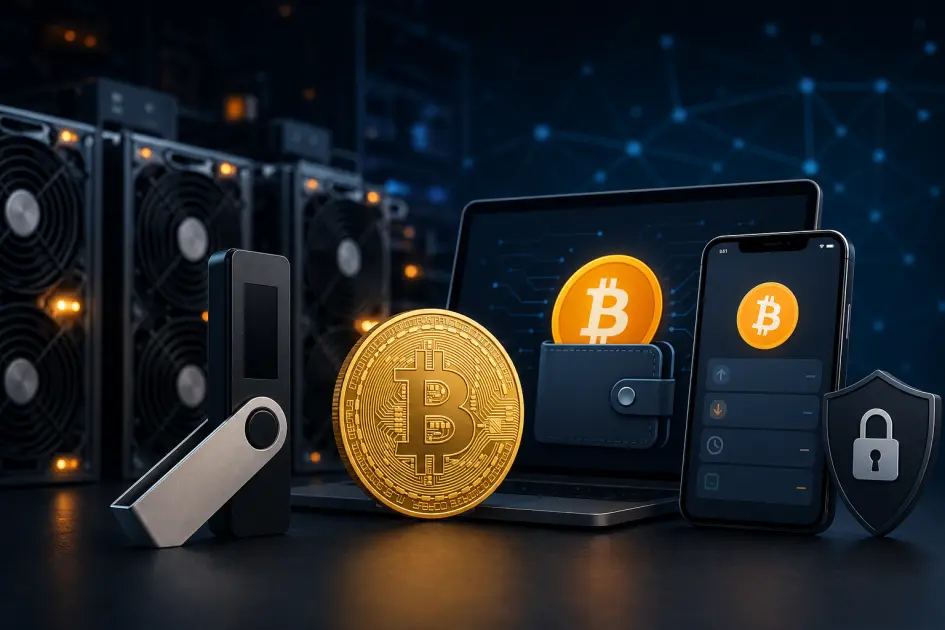
The best Bitcoin wallet for a miner depends on one thing: how much BTC you hold. Small balances under 0.01 BTC can live on a mobile wallet; 0.01–1 BTC deserves a desktop wallet paired with a hardware signer; anything above 1 BTC belongs on a dedicated hardware wallet like Ledger, Trezor, or Coldcard. This guide walks through all three categories so you can pick with confidence.
The three wallet categories miners should know
Every Bitcoin wallet falls into one of three buckets, and each bucket solves a different problem. Hardware wallets store your private keys on a dedicated offline device — a small USB or NFC gadget that signs transactions without ever exposing the keys to your computer. Software desktop wallets keep the keys encrypted on a laptop or PC, giving you fine-grained control and lower friction for frequent transactions. Mobile wallets live on your phone, optimized for quick sends, Lightning payments, and scanning QR codes in person.
Picking the right category depends on three things: the balance you hold (more BTC = more reason to go offline), your technical comfort (hardware wallets demand careful seed-phrase hygiene), and how often you move BTC (daily spenders benefit from mobile; long-term holders almost never should). Most serious miners end up using two wallets — a hardware wallet for the long-term stash, and a mobile or desktop wallet for smaller working balances.
One decision you never want to revisit is whether to self-custody at all. Leaving mining earnings on an exchange, a custodial app, or even the NoxHash balance long-term means you are trusting someone else with your money. That is fine while you actively trade or accumulate, but the moment the stack becomes "savings," it needs to sit in a wallet whose private keys only you hold.
Top hardware wallets in 2026
Hardware wallets are the default recommendation for any miner holding more than a few hundred dollars in BTC. The three options below have long track records, open or well-audited firmware, and active maintenance teams as of 2026.
Ledger Nano S Plus / Nano X
The most popular hardware wallet family. Works with the Ledger Live app, supports thousands of coins, USB-C on the Plus, Bluetooth on the X. Great ecosystem, huge install base.
- Price: ~$79 (S Plus) / ~$149 (X)
- Screen: Small 128×64 OLED
- Standout: Massive coin support + polished app
Trezor Safe 3 / Safe 5
Fully open-source firmware and hardware schematics — the choice for users who want to audit everything. The Safe 5 adds a color touchscreen; the Safe 3 is the budget pick.
- Price: ~$79 (Safe 3) / ~$169 (Safe 5)
- Screen: Mono (Safe 3) / Color touch (Safe 5)
- Standout: Open source, reputable vendor
Coldcard Mk4 / Q
Bitcoin-only by design, built for air-gapped workflows — sign transactions via microSD (PSBT) without plugging the device into an online computer. The choice of serious Bitcoin holders.
- Price: ~$157 (Mk4) / ~$239 (Q)
- Screen: OLED (Mk4) / Full keyboard + LCD (Q)
- Standout: Air-gap PSBT, Bitcoin-only focus
All three are solid. Ledger wins on ecosystem polish, Trezor on open-source transparency, Coldcard on maximalist security features like air-gap signing and duress PINs. For miners new to hardware wallets, Ledger Nano S Plus or Trezor Safe 3 at around $79 is the easiest entry. For balances above 1 BTC, Coldcard is worth the extra cost for its Bitcoin-only firmware surface.
Top software desktop wallets
Desktop wallets keep private keys on a computer you control. They shine when you want advanced features — UTXO control, coin labeling, custom fees, multi-signature setups — without the overhead of plugging in a hardware device for every transaction. All three below are free and open source.
Sparrow Wallet
Bitcoin-only, excellent UTXO visualizer, works with every major hardware signer (Ledger, Trezor, Coldcard), supports multi-sig, PSBT, and connection to your own node. The new standard for serious Bitcoiners.
Target user: Miners who want full visibility into every sat, and plan to pair with a hardware wallet.
Electrum
The longest-lived Bitcoin wallet (2011). Lightweight (no blockchain download), advanced features, plugin system, and hardware wallet support. Slightly dated UI, but battle-tested and trusted by power users.
Target user: Experienced users who want a proven, minimal tool. Be sure to download only from electrum.org — phishing clones are common.
Bitcoin Core
The reference Bitcoin implementation — you run a full node, validate every transaction yourself, and never trust a third-party server. Requires ~600 GB of disk for the full chain.
Target user: Maximalists and large holders who want true self-verification. Overkill for casual miners.
For most miners, Sparrow is the modern sweet spot — clean UI, advanced when you need it, and designed from day one to work with hardware signers. Electrum is still excellent if you prefer a smaller, faster app. Bitcoin Core is the gold standard for trustlessness but demands disk space and patience during the initial sync.
Top mobile wallets
Mobile wallets are the most convenient way to hold Bitcoin — and the most dangerous for large balances. They are fine for small working amounts (coffee money, Lightning tips, a bit of spending BTC), but never for a miner's full payout stack. Three strong open-source options:
Blue Wallet
Open-source, supports both on-chain Bitcoin and Lightning, watch-only wallets, and can act as a Sparrow/Electrum companion. Clean UX, long-standing reputation.
Best for: Generalist mobile use, Lightning-curious miners.
Muun
Self-custodial, uses submarine swaps to let you send Lightning payments from an on-chain balance without managing channels. Very beginner-friendly, with emergency-kit backup.
Best for: Newer users who want Lightning without the complexity.
Phoenix
Built by ACINQ (a core Lightning developer). Fully self-custodial Lightning wallet with automatic channel management — you don't think about channels, it just works.
Best for: Miners who want to spend small amounts fast on Lightning.
When mobile is OK: balances under 0.01 BTC (around $650 at $65k BTC), frequent small payments, Lightning-heavy use, or as a secondary wallet alongside a hardware device. When it isn't: your full monthly payout from a Pro or Enterprise NoxHash miner sitting on your phone for months. Phones get lost, stolen, and reset — a hardware wallet doesn't.
Which wallet by balance size — the recommendation matrix
Here is the simple rule we would tell a friend who just started earning mining payouts with NoxHash: match the wallet to the amount, not the other way around. As your stack grows, upgrade your custody.
| Balance | Recommended setup | Typical user |
|---|---|---|
| Under 0.01 BTC (< ~$650) |
Mobile wallet (Blue, Muun, Phoenix) | A new miner running a Basic Miner plan, still testing the waters. |
| 0.01 – 0.1 BTC (~$650 – $6.5k) |
Desktop wallet (Sparrow / Electrum) + cheap hardware signer (Ledger S Plus or Trezor Safe 3) | Steady miner earning payouts from a Standard Miner over several months. |
| 0.1 – 1 BTC (~$6.5k – $65k) |
Dedicated hardware wallet (Trezor Safe 5, Ledger Nano X, or Coldcard Mk4) + Sparrow as front-end | Long-term holder running Pro Miners, accumulating through a full market cycle. |
| 1 – 10 BTC (~$65k – $650k) |
Bitcoin-only hardware wallet (Coldcard Mk4 or Q) with air-gapped PSBT workflow | Serious operator with multiple Enterprise Miners and a long-term plan. |
| Over 10 BTC (> ~$650k) |
Multi-signature setup (2-of-3 across devices and locations) | Whale-tier holder — see our dedicated guide on multi-sig and geographic distribution. |
Prices in this table are illustrative — at a BTC price of $65,000 as of April 2026. If the market moves sharply, adjust your tier accordingly; the principle (more BTC = deeper cold storage) does not change.
Start earning, then pick the wallet that matches your balance
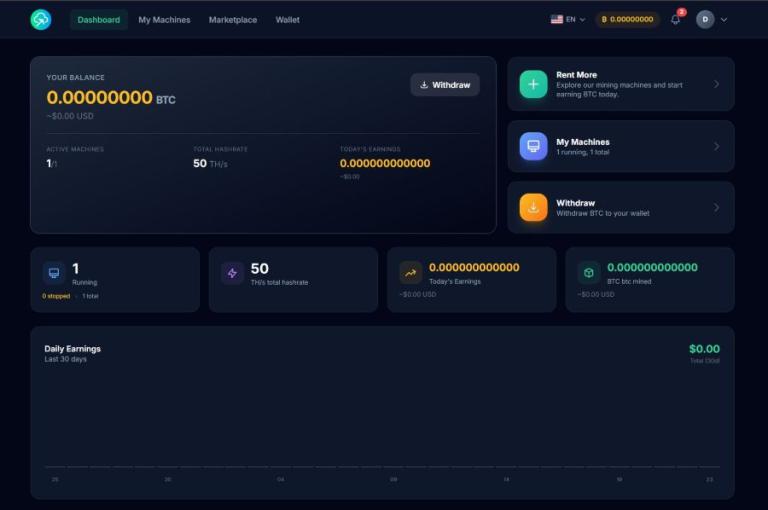
NoxHash delivers mining payouts directly to your BTC balance. Rent your first miner, let the payouts accumulate, and use the matrix above to decide where to move them — mobile, desktop, or hardware — as your stack grows.

Common mistakes when choosing a wallet
Most wallet disasters we see among miners are not caused by bad technology. They come from avoidable shopping and setup mistakes. Avoid these:
Picking by aesthetics
A nice-looking app does not protect your keys. Audit history, open-source status, and active maintenance beat fancy UI every time.
Buying from a non-official reseller
Supply-chain attacks are real: a tampered hardware wallet can leak your seed. Buy only from the manufacturer's own site or an officially listed reseller — never eBay, random Amazon sellers, or forums.
Using mobile for large amounts
Phones are lost, broken, and reset constantly. Anything above roughly 0.01 BTC should not live on a phone alone, no matter how well you think you guard it.
Skipping the seed-phrase backup
The seed phrase is the wallet. No backup = no recovery if your device dies. Write it on paper or metal, store it offline in at least two physical locations, and never photograph it.
Falling for "lifetime support" marketing scams
Any wallet vendor claiming "lifetime wallet with customer support" (especially via cold email or Telegram) is a phishing scam. Real hardware vendors never DM you asking for a seed phrase. Ever.
Treating an exchange as a wallet
Leaving your mining payouts on Binance, Coinbase, or any other exchange is not custody — it is an IOU. If the exchange freezes, is hacked, or goes bankrupt, your BTC may be gone. Not your keys, not your coins.
You can refer to the Bitcoin.org wallet directory for the authoritative, community-curated list of wallets scored on control, validation, transparency, environment, privacy, and fees — a useful cross-check before making a final pick.
Frequently asked questions
Is Ledger still safe after the 2020 customer-data breach?
The 2020 leak exposed names, emails, and addresses of Ledger customers — not private keys or seeds. No funds were lost directly. If that risk bothers you, buy through an intermediary address or pick Trezor or Coldcard. The devices themselves remain cryptographically secure in 2026.
Can I use a mobile wallet for my mining payouts?
Yes — if the balance stays small (under ~0.01 BTC). For the first few months of a Basic plan, a mobile wallet is fine. Once the balance crosses a few hundred dollars, move the bulk to a hardware wallet and keep only a small working amount on mobile.
Do I need to run a full Bitcoin node?
No. Wallets like Sparrow, Electrum, and Blue query public Bitcoin servers by default and work fine. Running your own node with Bitcoin Core adds privacy and trustlessness, but it is optional. Most miners never need it, especially below 1 BTC.
Why prefer a Bitcoin-only hardware wallet like Coldcard?
Every extra coin supported means more code, more update paths, and a larger attack surface. A Bitcoin-only device ships firmware that only understands Bitcoin — less to break, less to exploit. For large BTC-only holdings, that trade-off is worth it.
Can I just leave my BTC on an exchange like Binance or Coinbase?
You can, but it is risky. Exchange balances are IOUs — you do not control the keys. Mt. Gox, FTX, and others taught this lesson the hard way. Fine for active trading; a bad choice for long-term storage of mining earnings. Self-custody wins for anything you plan to hold.
How often should I upgrade or replace my wallet?
Hardware wallets last 5–10 years of daily use. Replace the device only if it fails or firmware is officially deprecated — your seed phrase can be restored to any compatible new device. Upgrade your tier (mobile then hardware then multi-sig) only as your balance grows.
Which wallet does NoxHash officially recommend?
NoxHash does not have a paid partnership with any wallet vendor. We recommend whichever device fits your balance size using the matrix above. For most users that starts with a Ledger Nano S Plus or Trezor Safe 3 paired with Sparrow on desktop.
Self-custody is your responsibility
Wallet picks in this article are informational, based on public reputation and feature sets as of April 2026 — not investment advice or a paid endorsement. When you self-custody Bitcoin, a lost seed phrase or hacked device means permanent loss. Verify vendor websites carefully, buy only from official sources, and research each wallet before moving real funds. Prices, features, and vendor reputations can change.